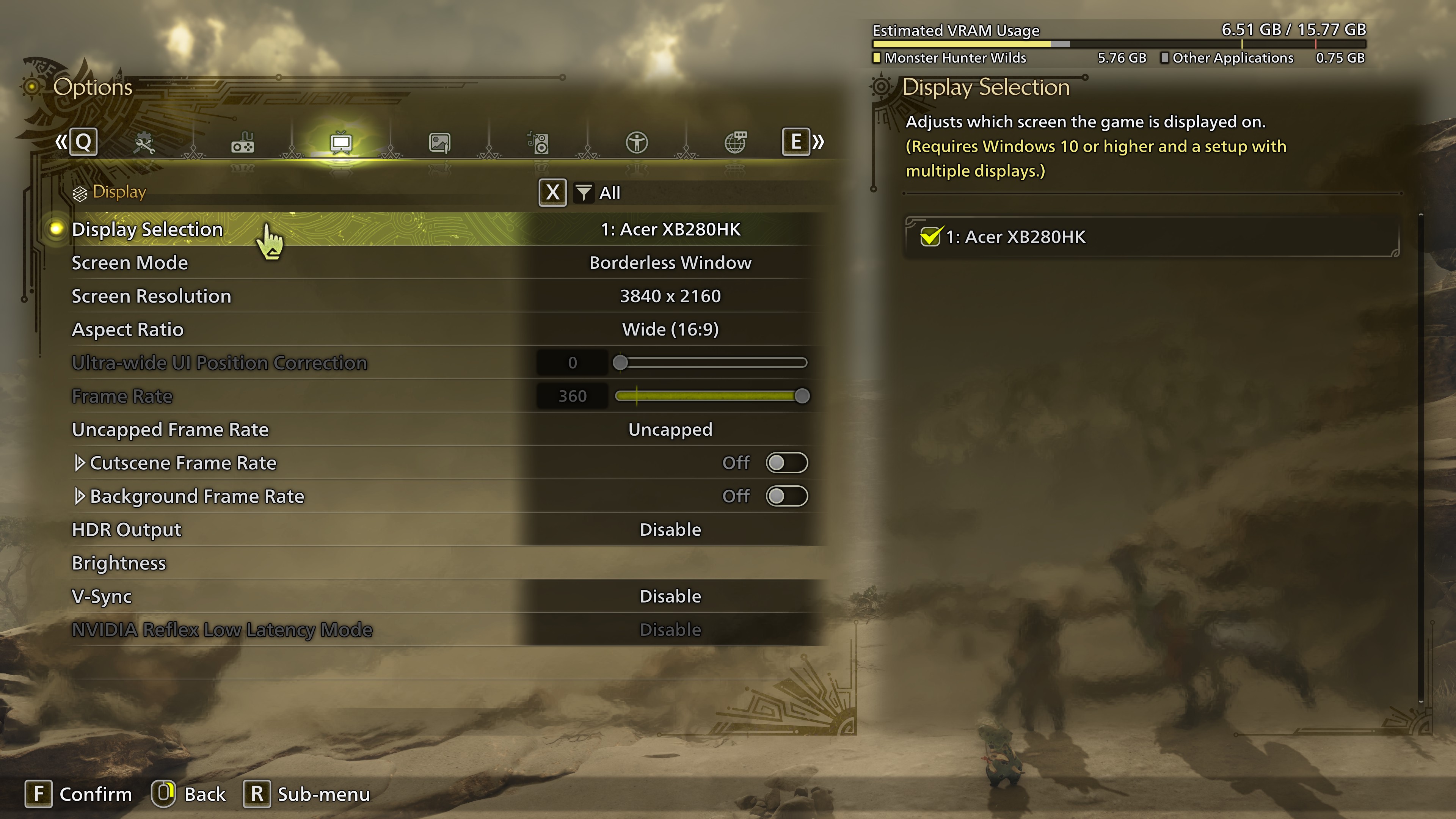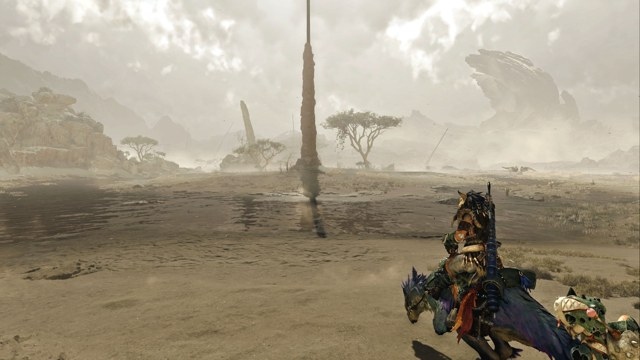
Monster Hunter Wilds retains the series' familiar hunting-and-upgrading loop after 20 years: take on hunts, defeat monsters, gather their loot, and turn it into better equipment. Following public betas and a benchmark release, the finished game also brings a change of engine.
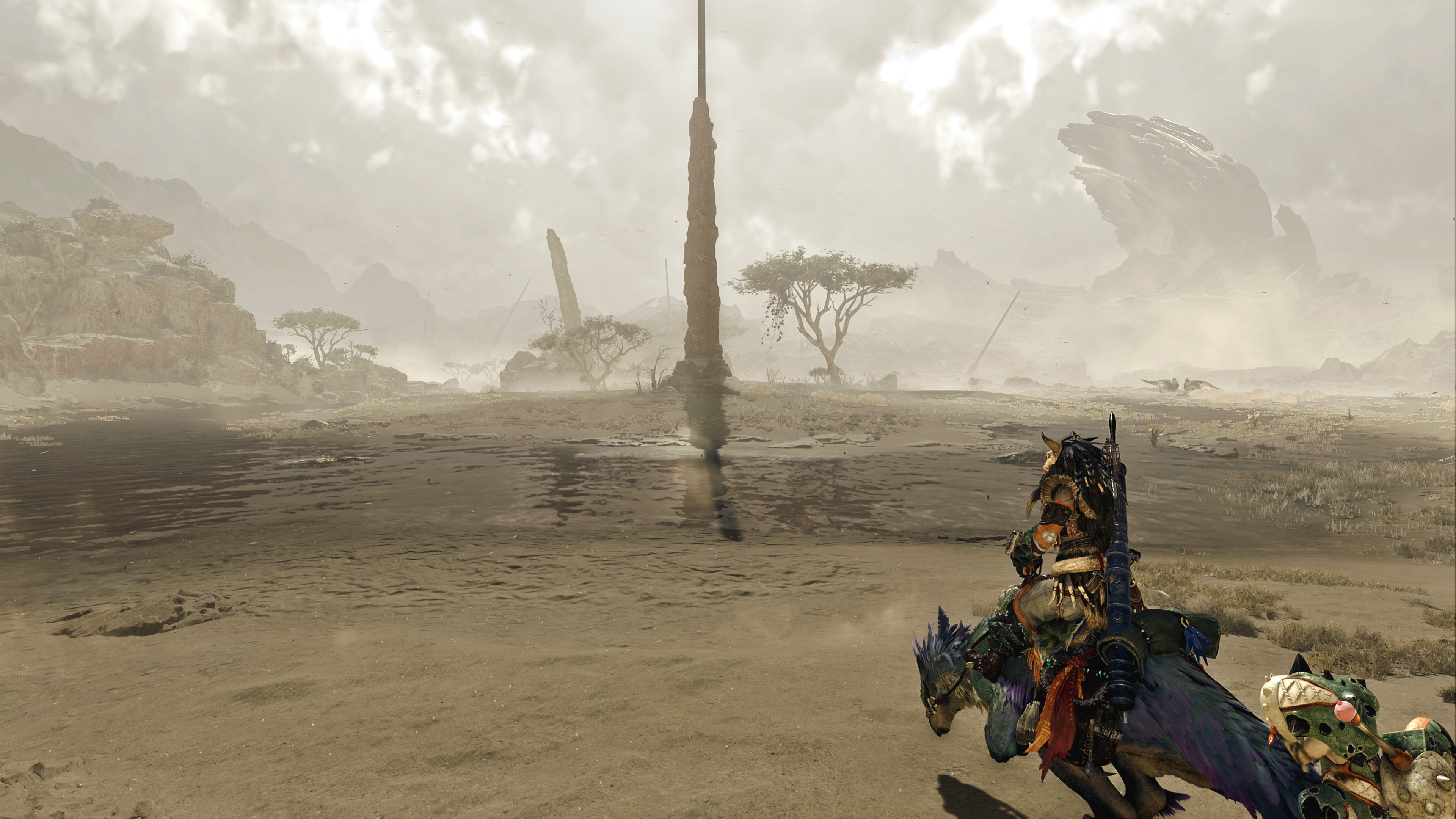
Where Monster Hunter: World used MT Framework, Wilds runs on Capcom's RE Engine, also used for Dead Rising Deluxe Remaster and Dragon's Dogma 2. Nick Evanson considers Dragon's Dogma 2 the likely coding template, given the games' similar appearance and open-world structure. Their performance characteristics also resemble one another, although Wilds places substantially less strain on the CPU.
Capcom lists relatively modest minimum hardware, including a Ryzen 5 3600 and GeForce GTX 1660, but qualifies every requirements tier with frame generation. Evanson's testing found that acceptable performance does not necessarily require generated frames. Upscaling, however, is much harder to do without: even powerful systems struggle, and many individual graphics adjustments barely affect frame rates.
The recommendations below come from his testing of every graphics option and repeated runs through the opening area on four PCs. They cannot represent every hardware combination, but provide practical starting points. The Monster Hunter Wild benchmark tool offers another rough guide, though its emphasis on cutscenes stresses the GPU more than the CPU. Actual hunting makes greater demands on the processor.
Hardware used for testing
- Entry-level: Core i7 9700K (65 W), Radeon RX 5700 XT, 16 GB DDR4-3200.
- Budget: Ryzen 7 5700X3D (105 W), GeForce RTX 3060 Ti, 32 GB DDR4-3200.
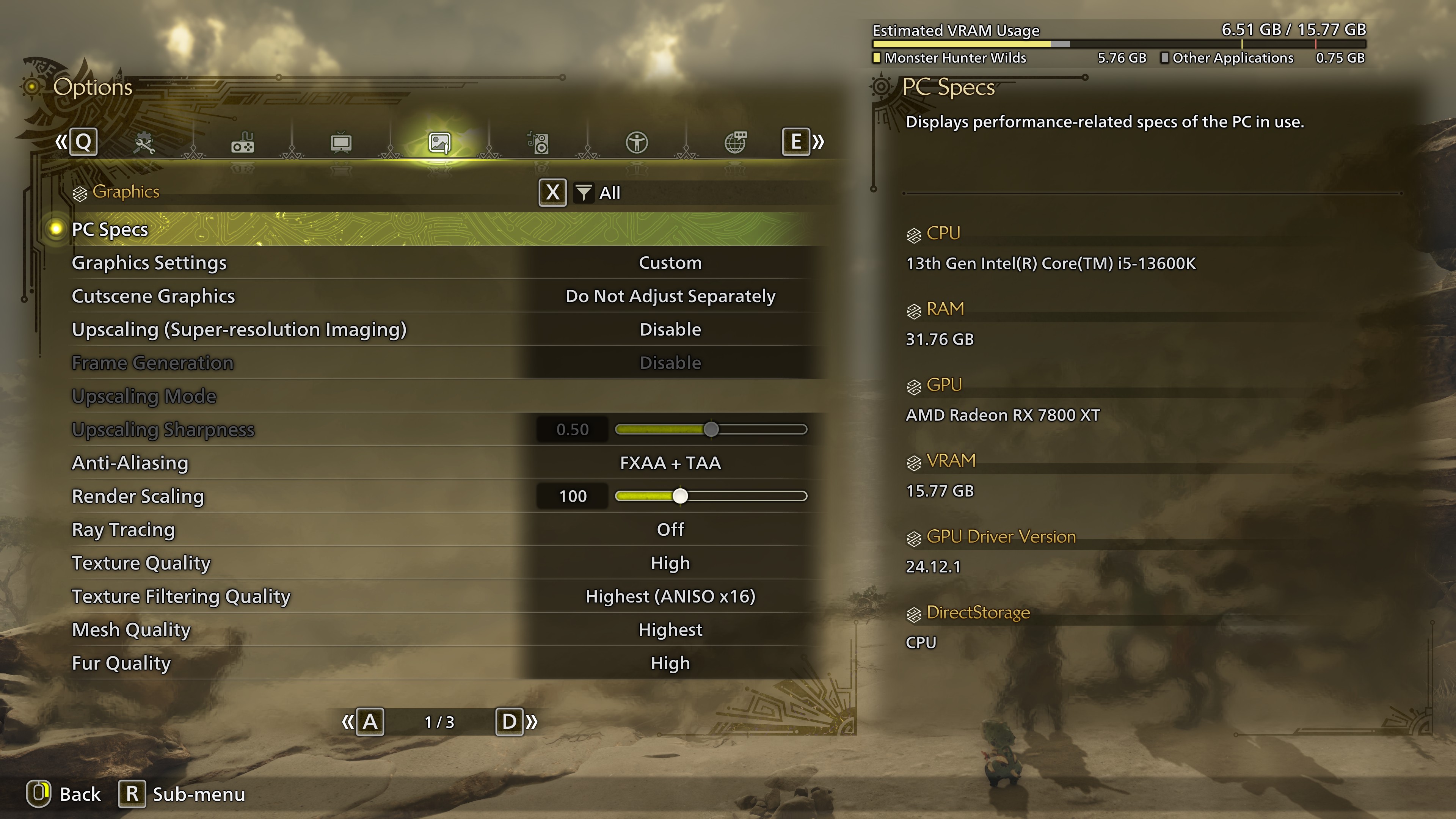
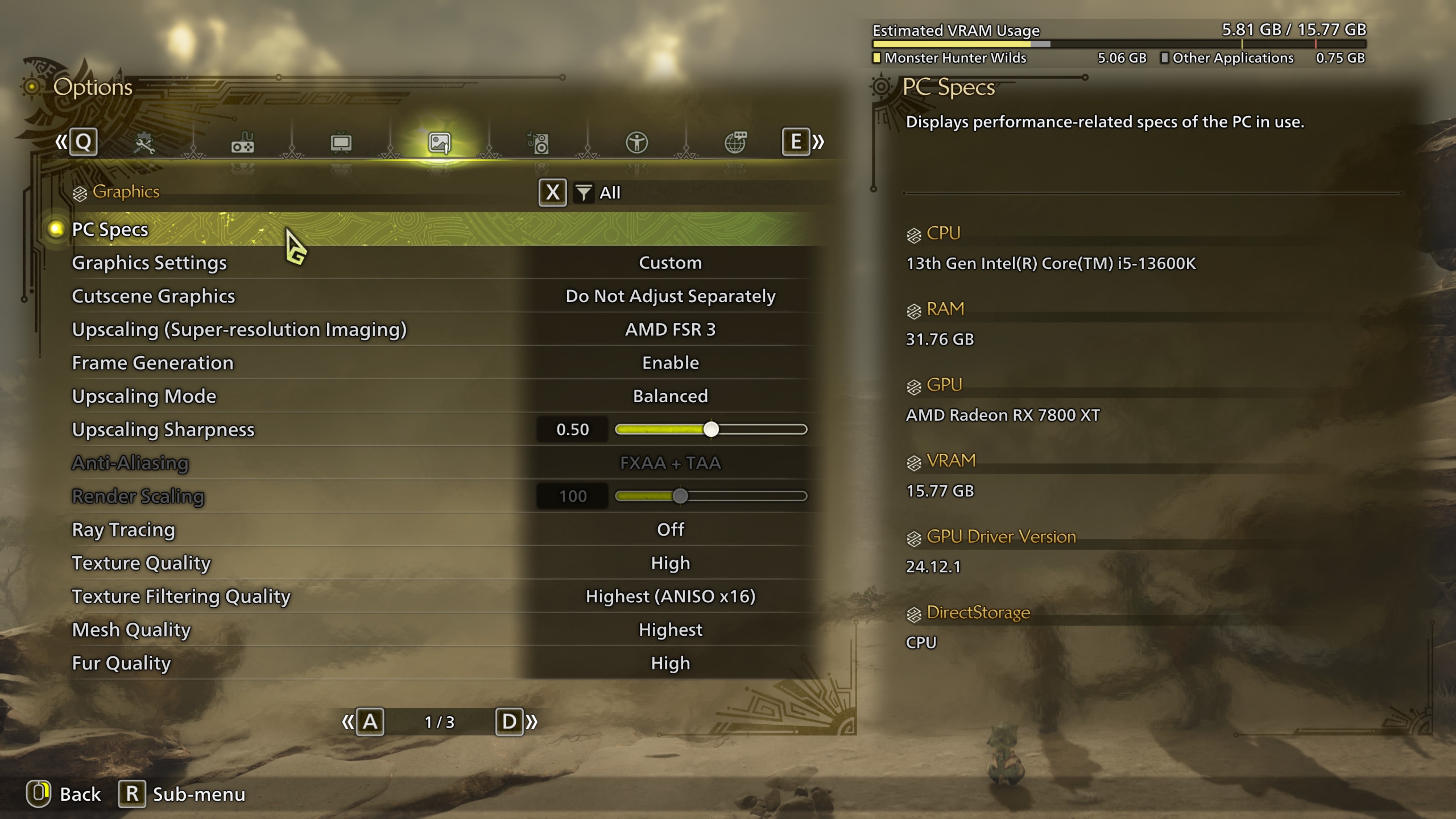
- Mid-range: Core i5 13600K (125 W), Radeon RX 7800 XT, 32 GB DDR5-6400.
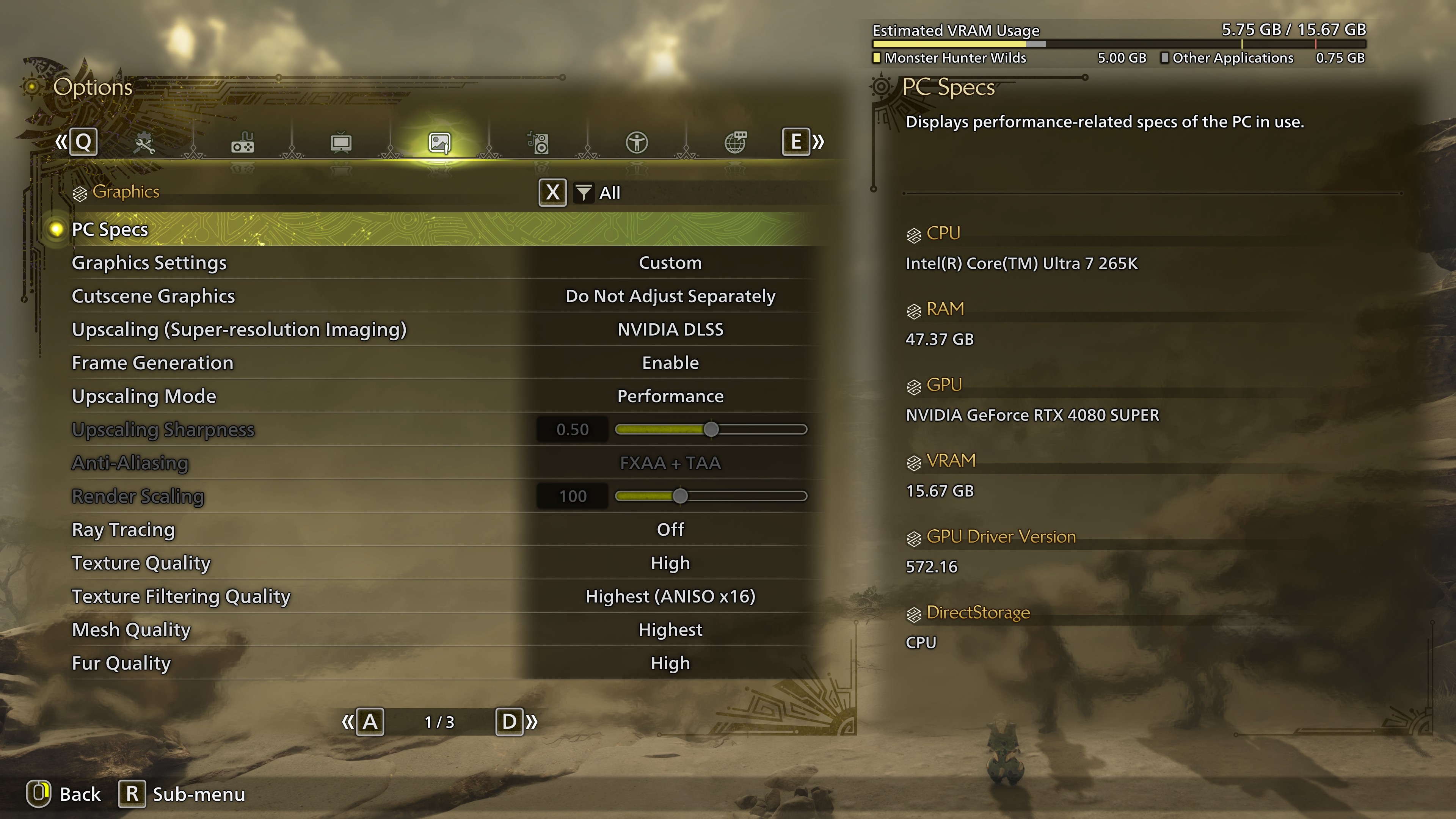
- High-end: Core Ultra 7 265K (250 W), GeForce RTX 4080 Super, 48 GB DDR5-8000.
These builds roughly follow Capcom's suggested hardware levels. The entry-level machine pairs a slightly older-than-minimum CPU with a somewhat stronger GPU. The Ryzen 7 5700X3D puts the budget build near the upper end of its category, balanced by the RTX 3060 Ti. Graphics-card capability primarily determines the two higher tiers.
What the performance tests revealed
Evanson first reduced every graphics option to its minimum, disabling effects such as anti-aliasing, depth of field, and water effects where possible. Even then, resolution strongly influenced average performance. Moving the RTX 4080 Super system from 1080p to 1440p cost just 10%, but going from 1080p to 4K cut its average frame rate by 50%.
That system's 1% lows changed little with resolution, as might be expected from its GPU. By contrast, the RX 5700 XT machine lost 40% of its 1% low performance between 1080p and 4K—unsurprising for a five-year-old card that was not positioned for 4K even when new.
Maximum settings, with upscaling, frame generation, and ray tracing excluded, produced uneven penalties. At 1080p, the RTX 3060 Ti build lost 27% of its average frame rate and 38% of its 1% lows. The RTX 4080 Super machine at 4K lost 25% and 31%, respectively.
Evanson judged the visual improvement insufficient to justify those losses. Shadow quality and draw distance improved clearly, but textures, objects, and lighting changed less noticeably. Nearby detail is relatively sparse in the open world; differences become easier to spot in cutscenes, villages, and bases.
Which graphics options matter?
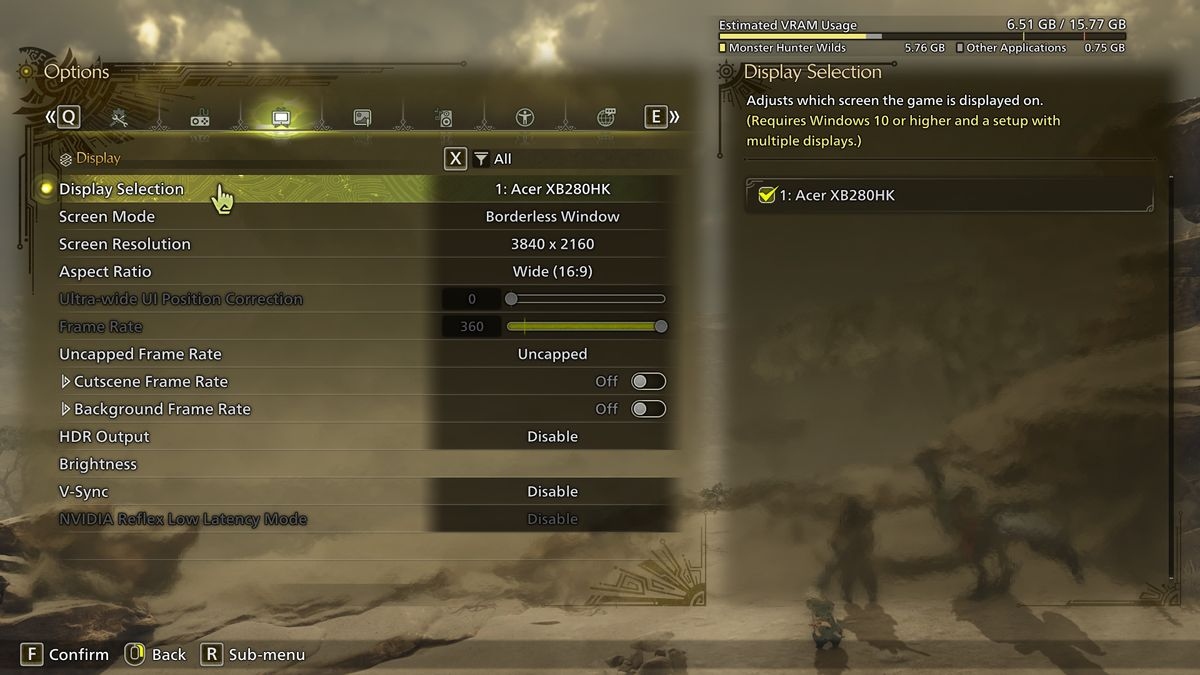
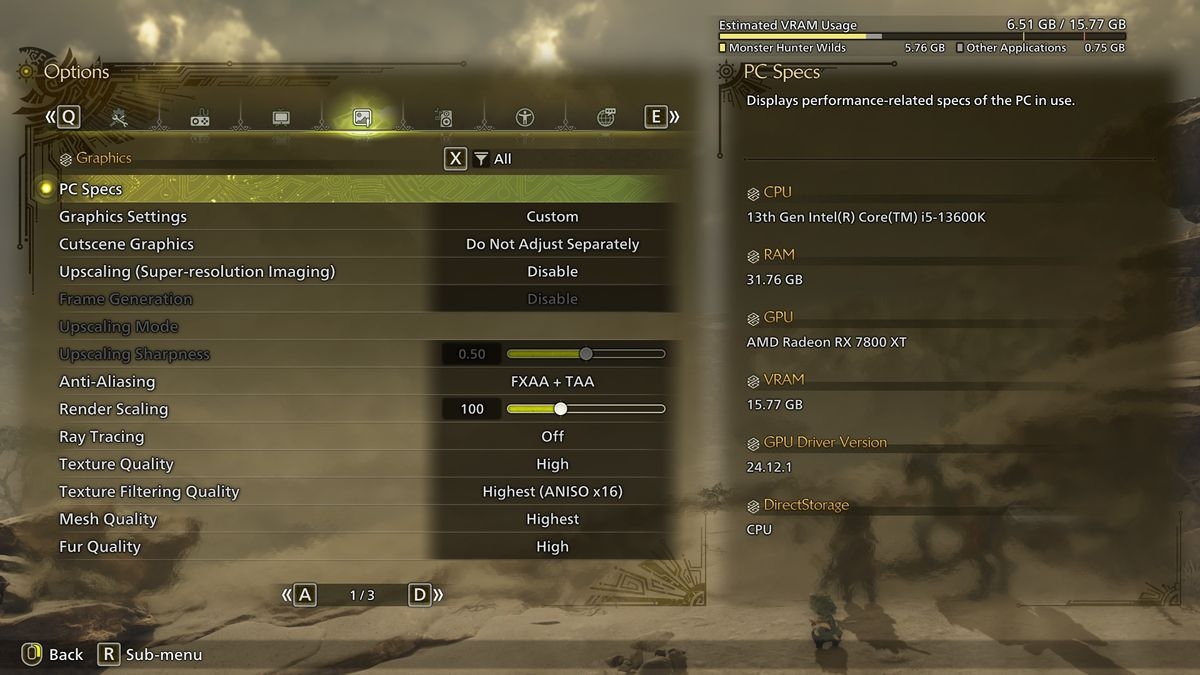
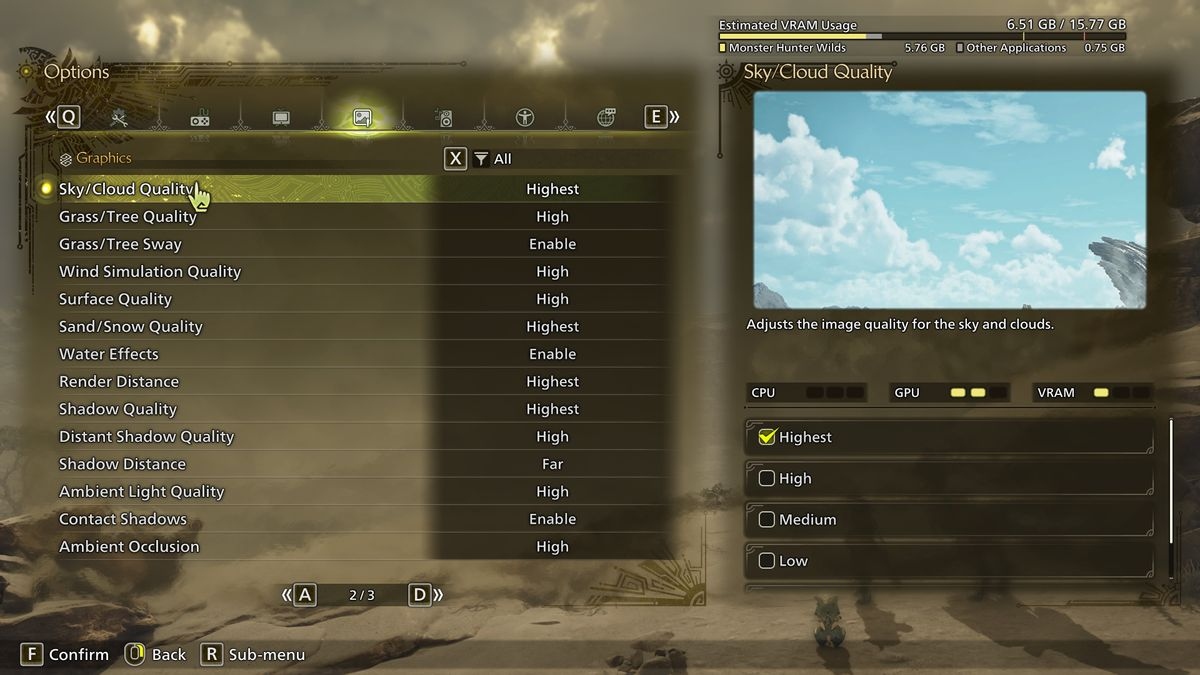
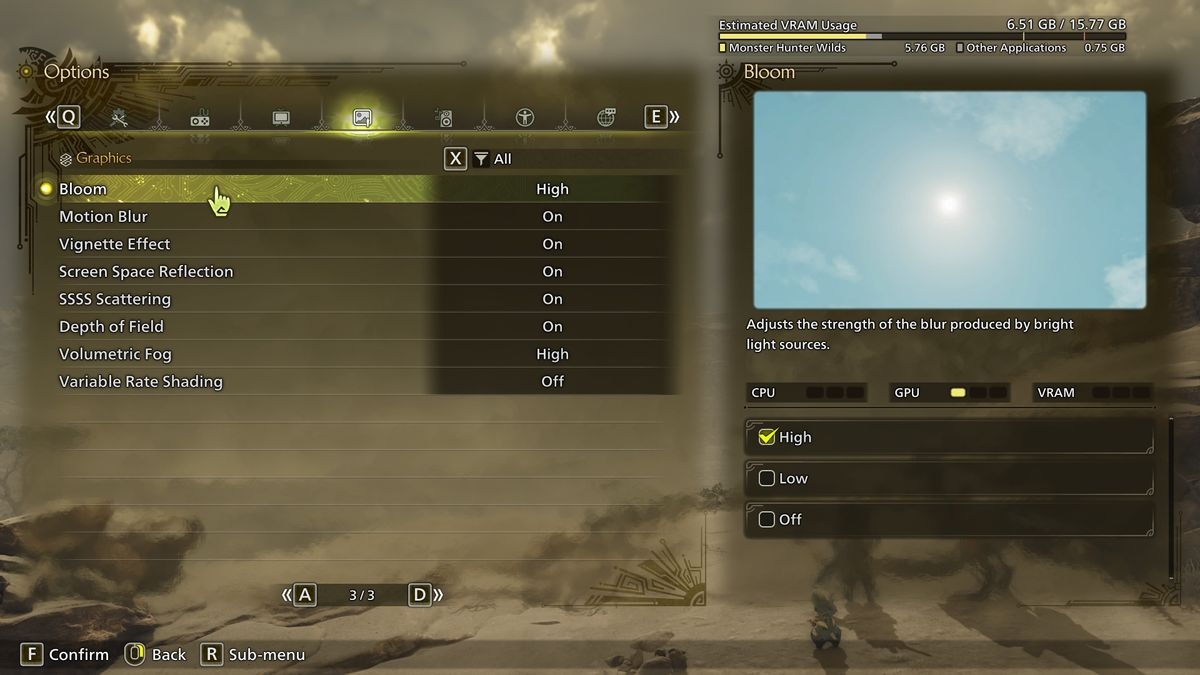
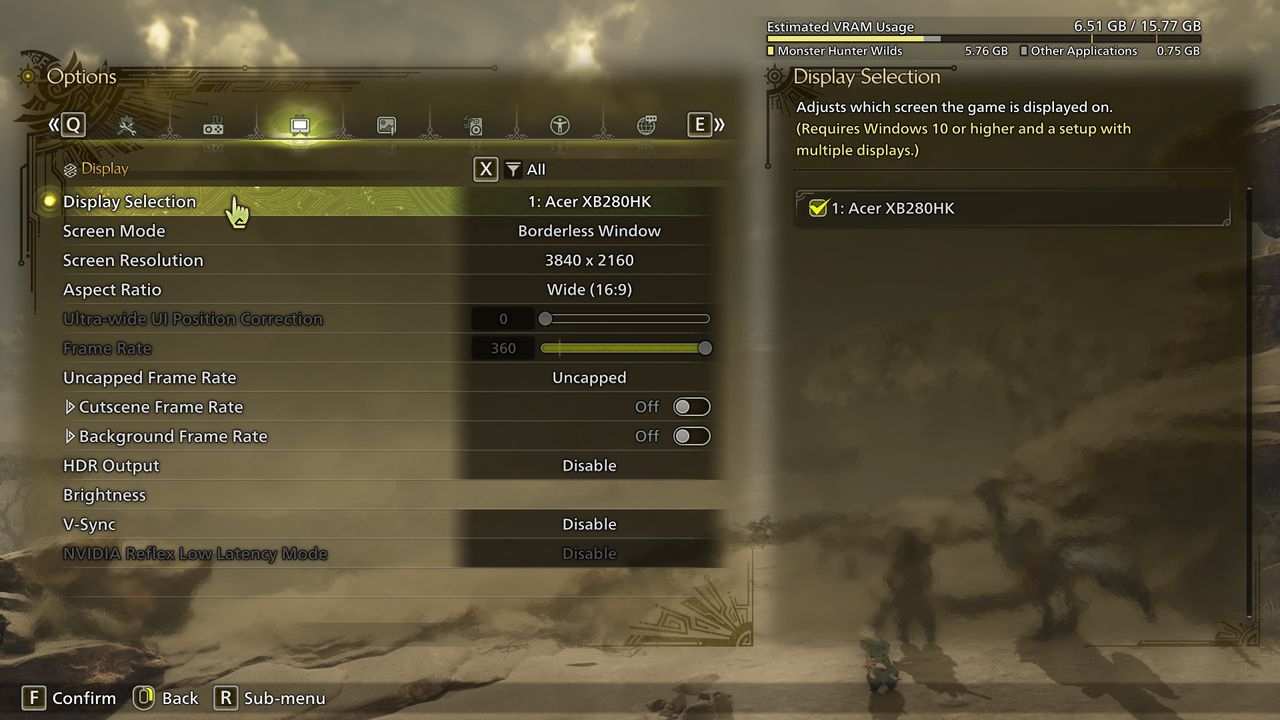
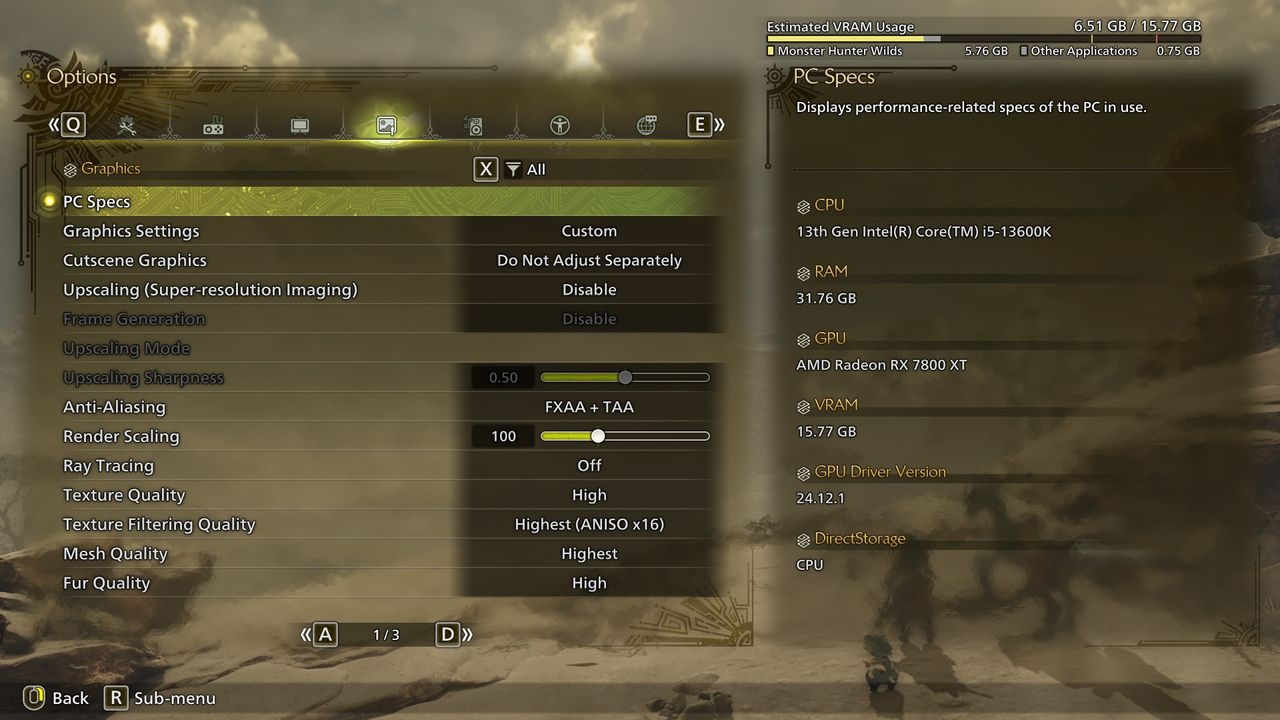
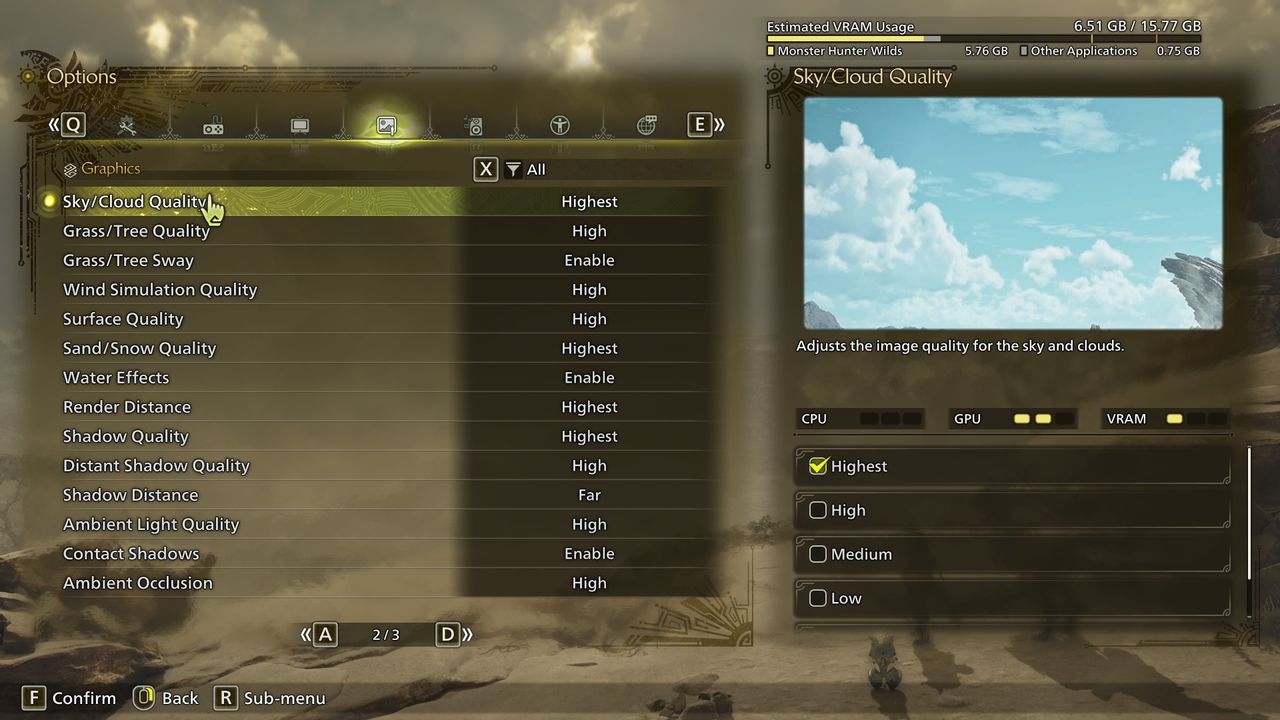
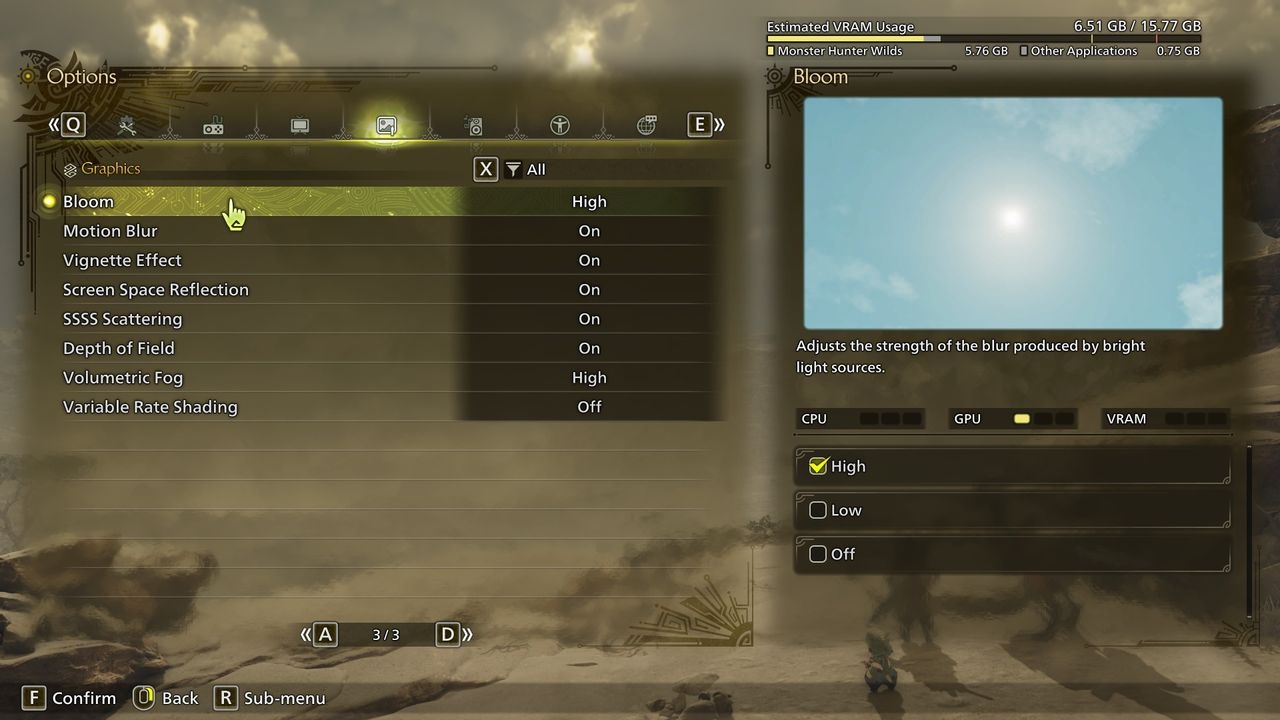
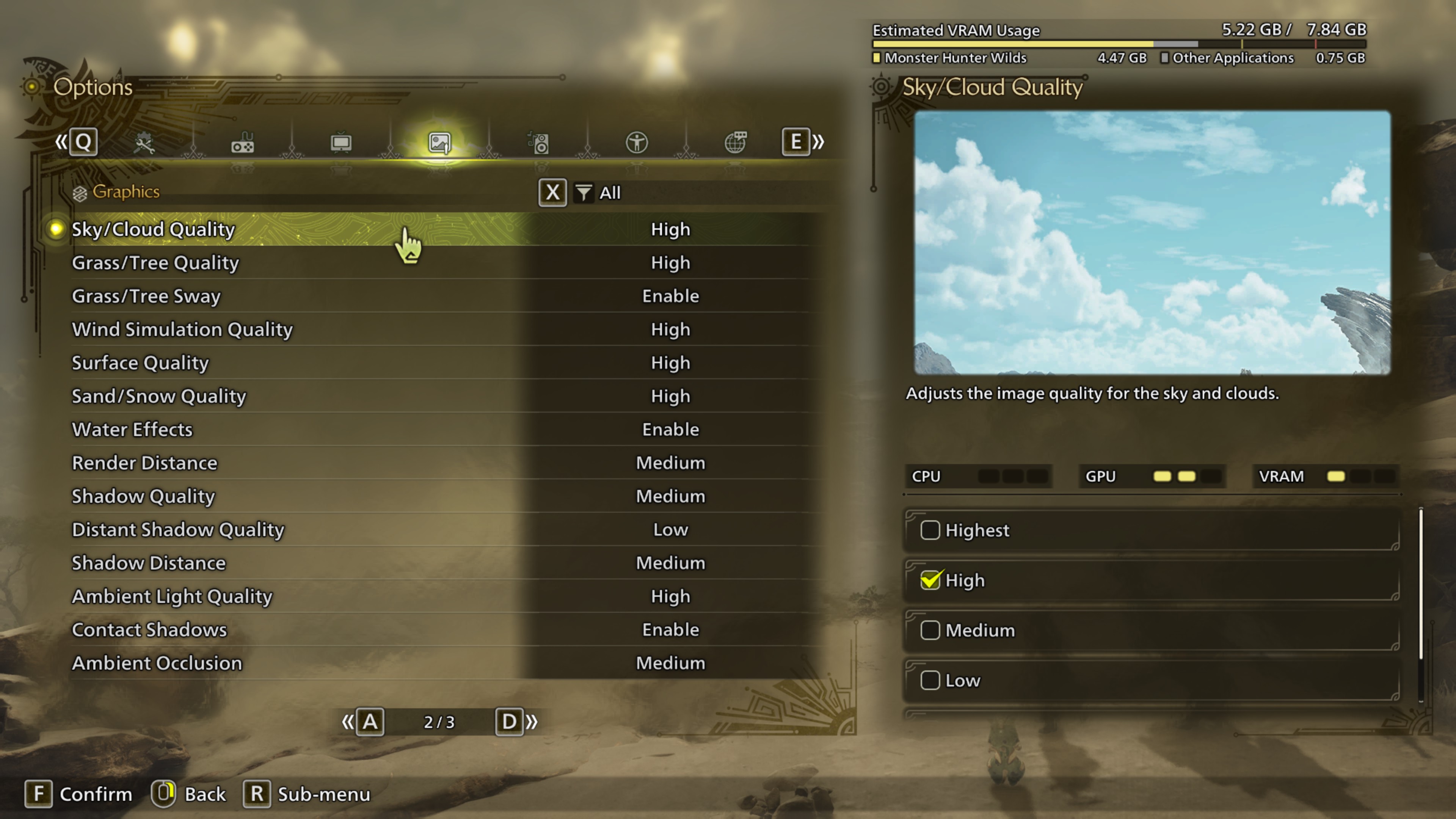
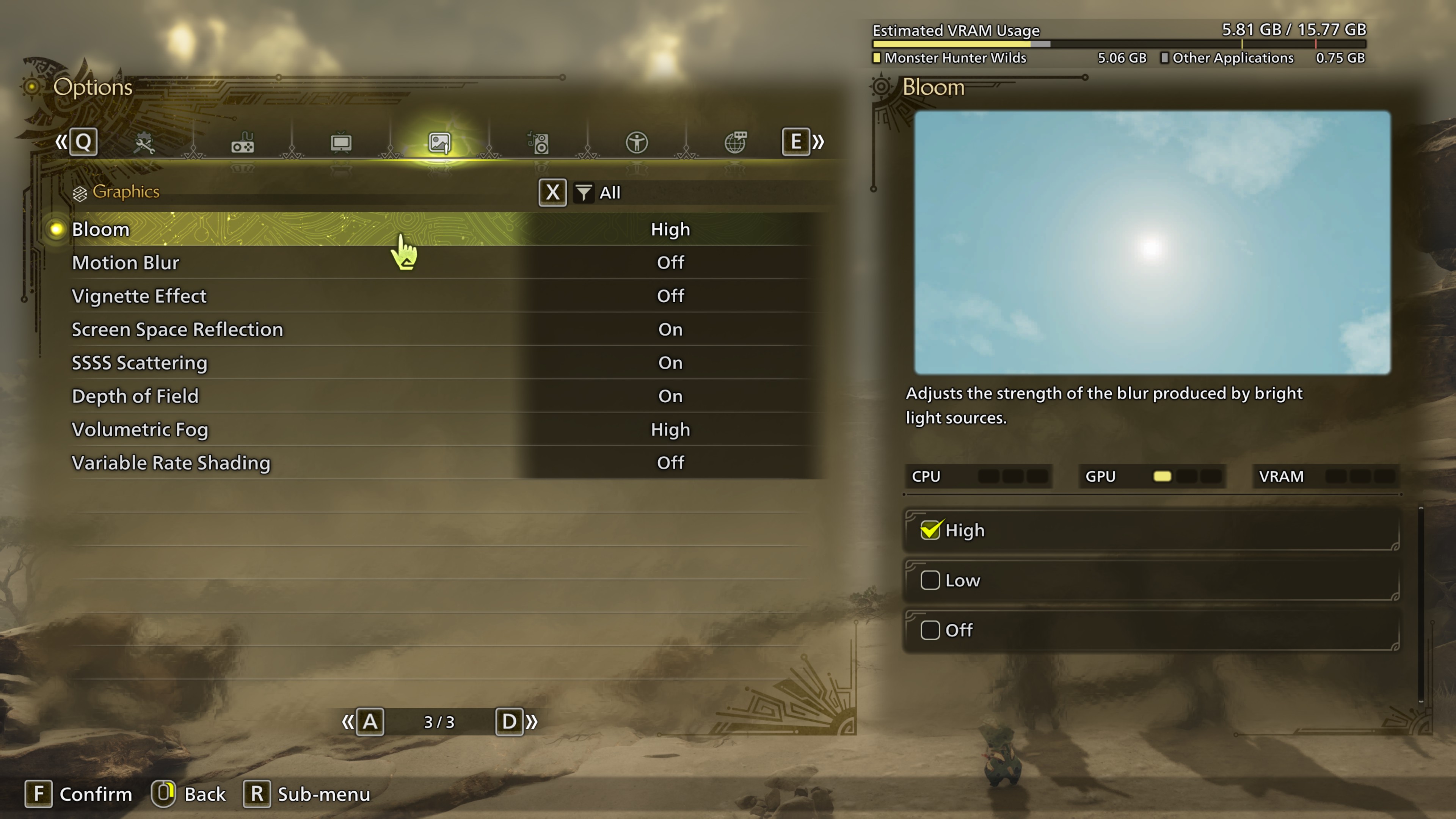
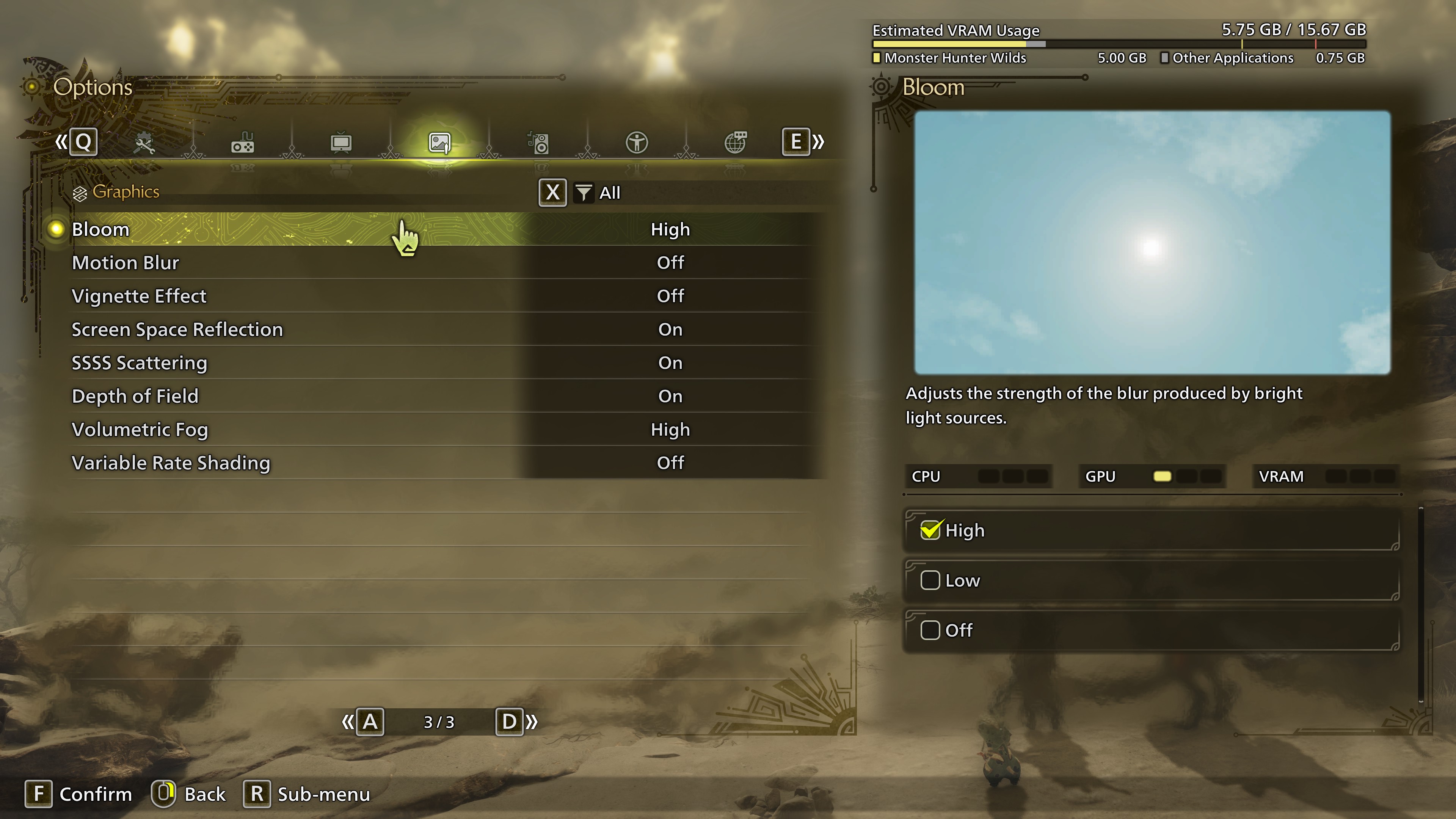
Beyond resolution, aspect ratio, and Vsync, the game offers 27 graphics controls. Many have little performance impact, even on the RX 5700 XT, making them more a matter of preference than optimization.
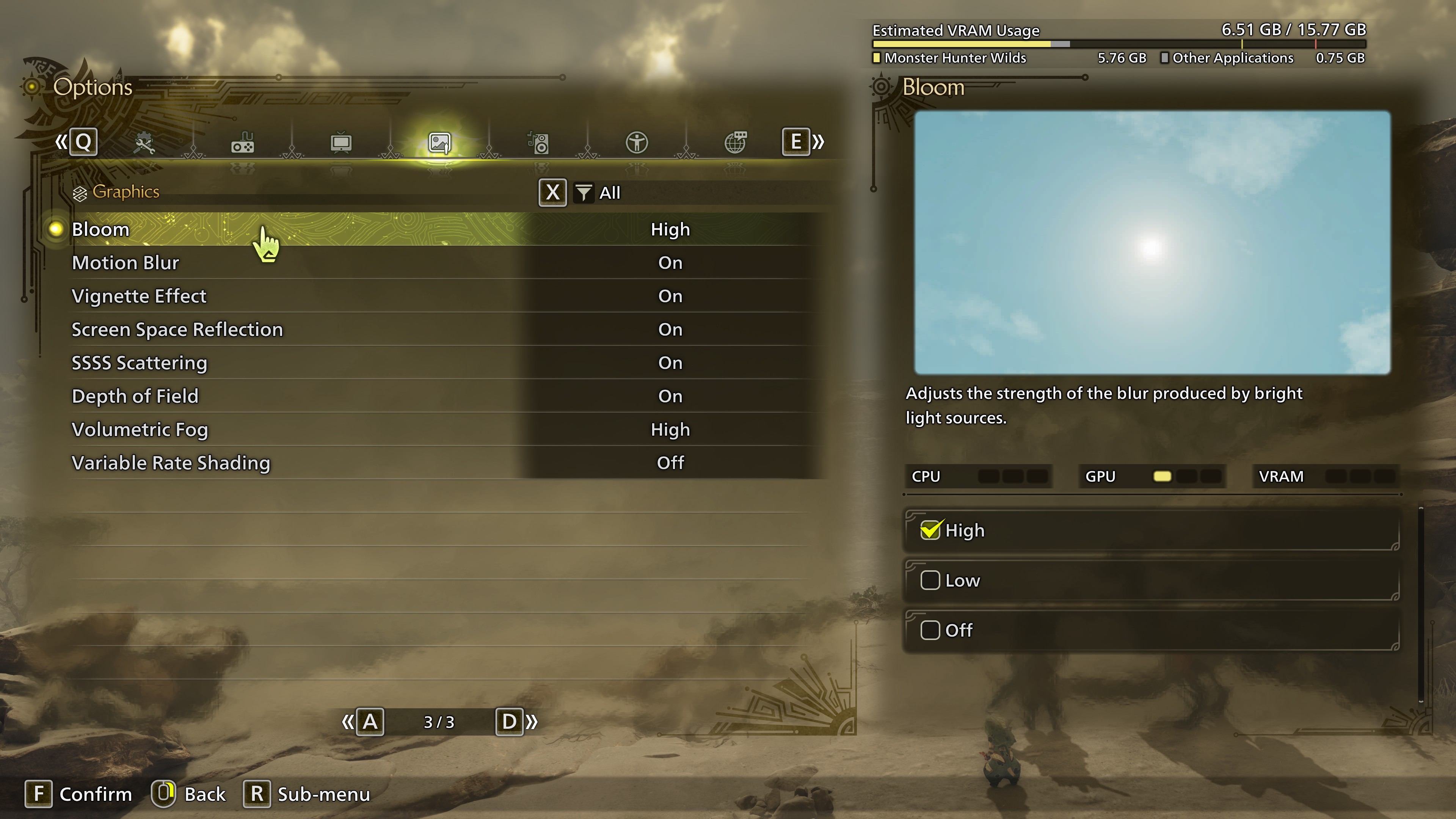
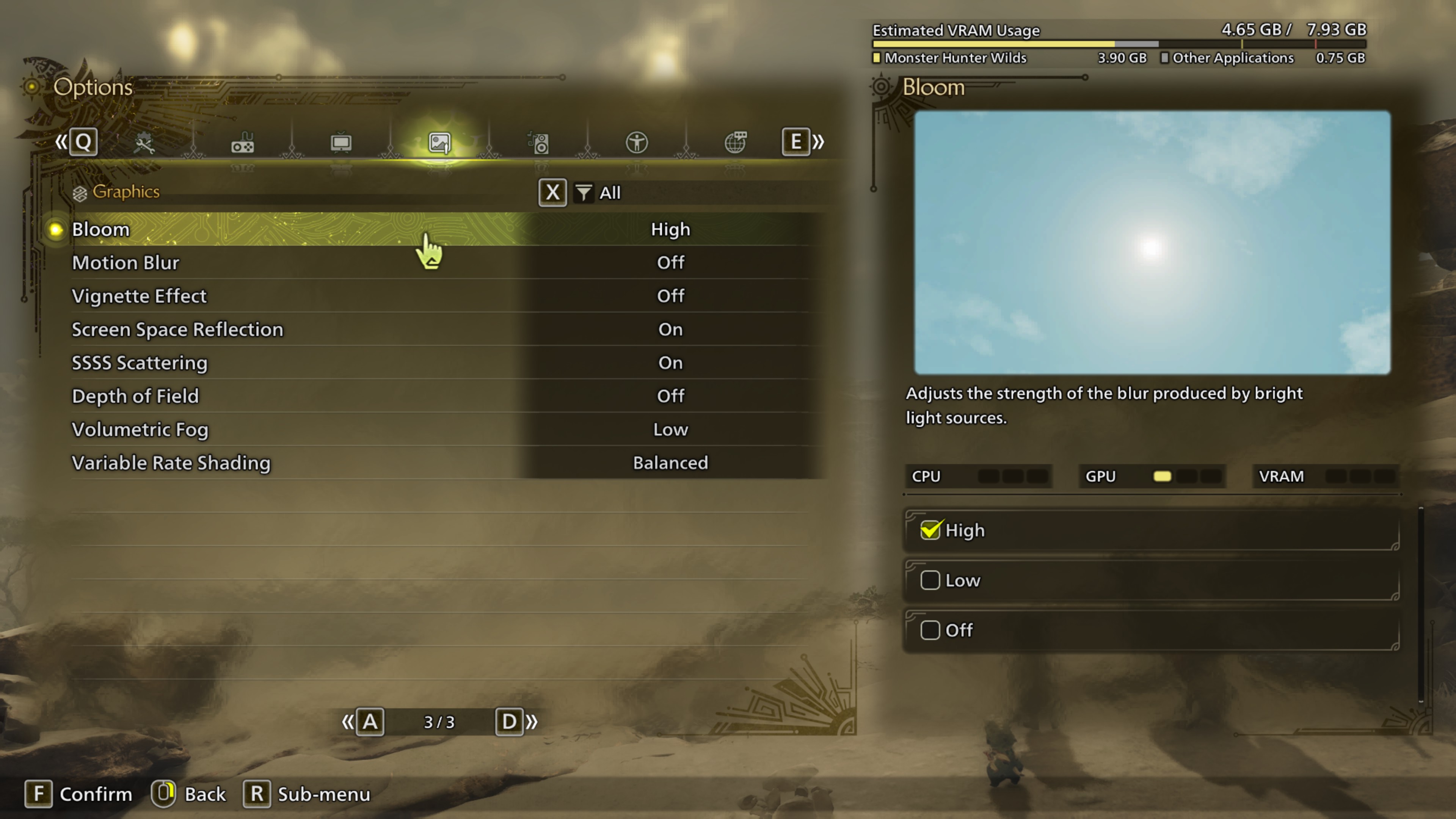
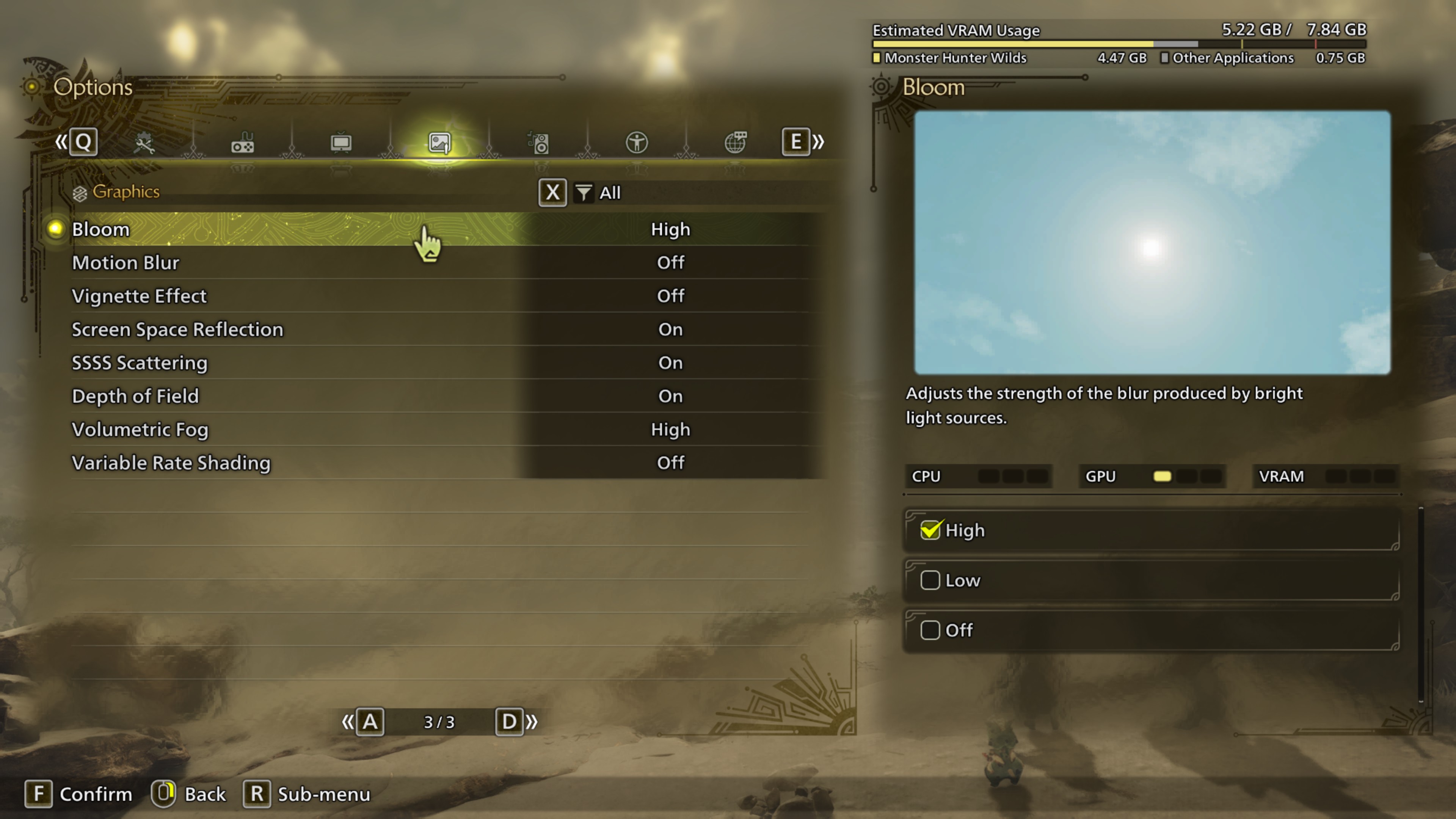
Motion blur, vignette effect, and depth of field cost few frames. Evanson preferred them off, despite reasonably effective motion blur and depth of field and a restrained vignette. Likewise, mesh quality, fur quality, wind simulation quality, surface quality, and distant shadow quality look acceptable at their lowest values. Several offer only low and high choices, with differences most apparent during cutscenes.
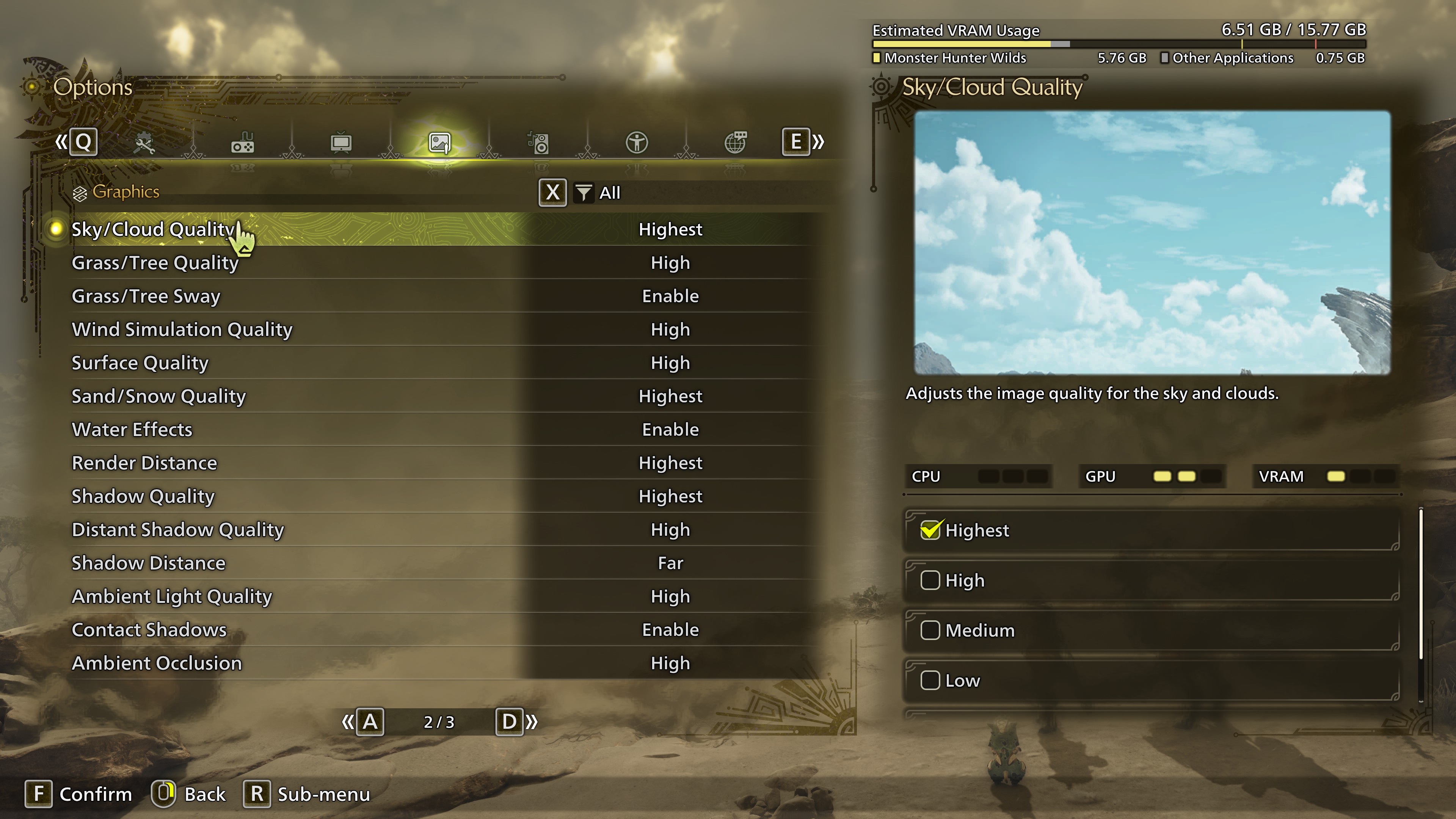
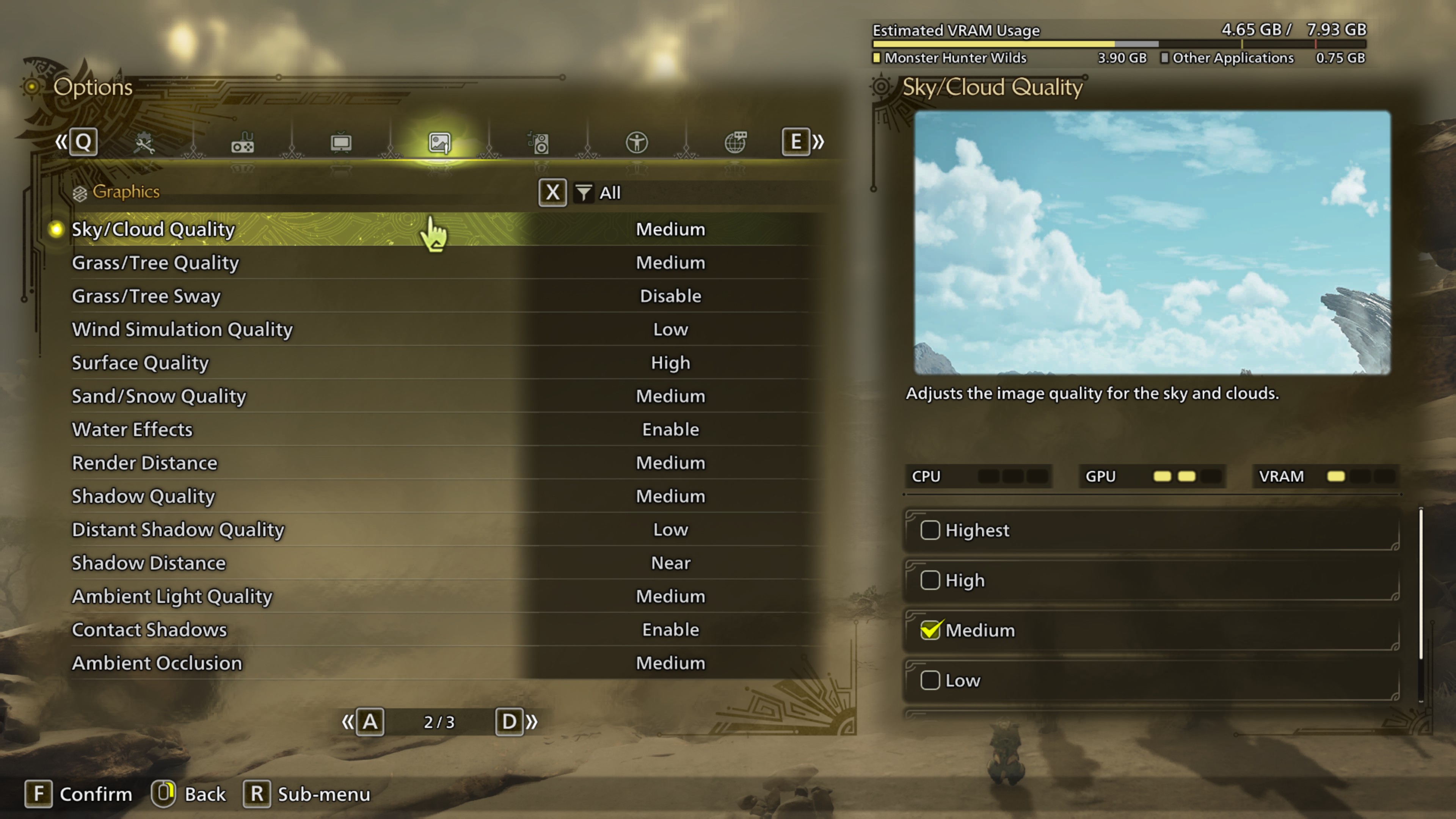
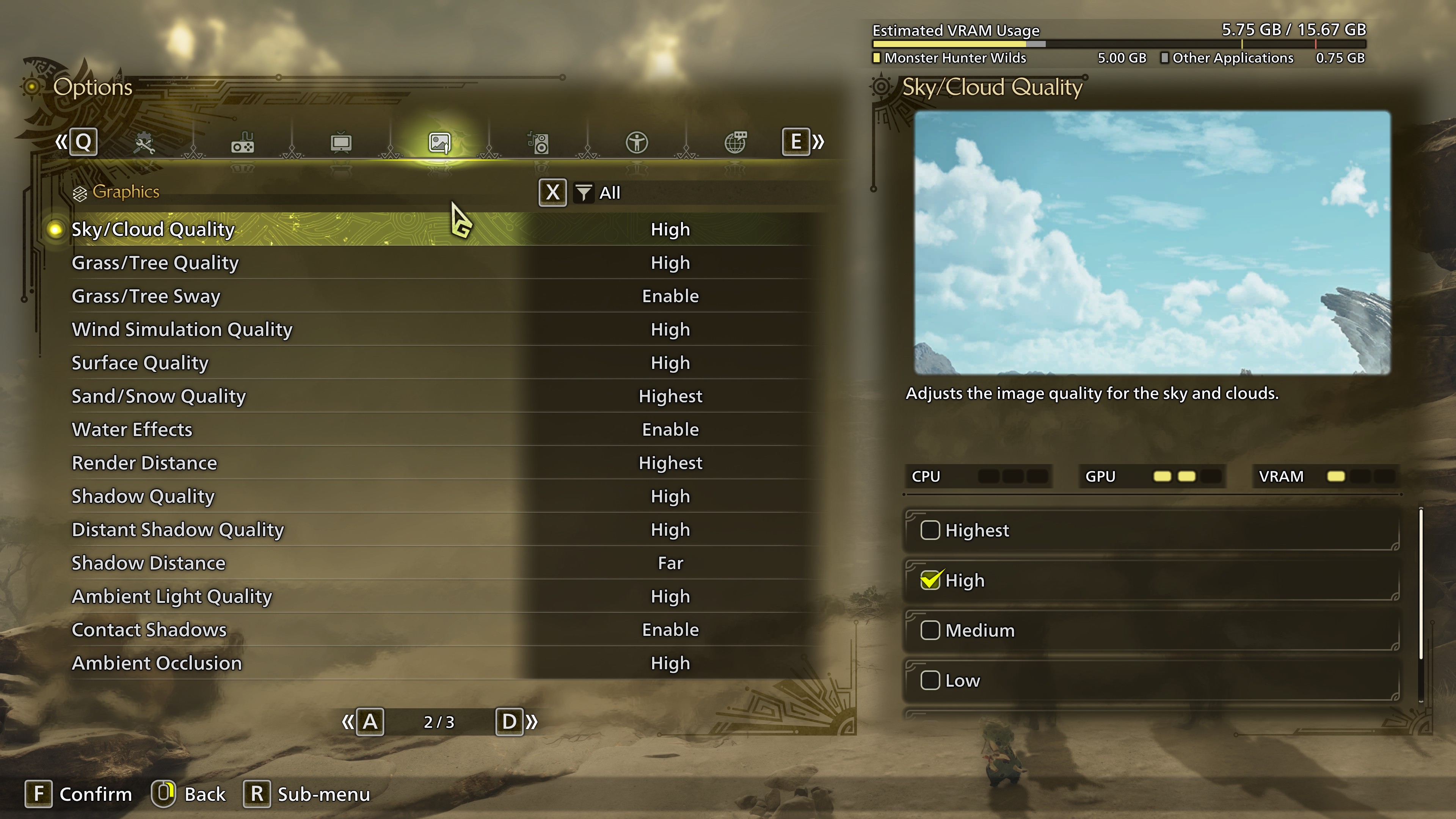
The more consequential controls are texture quality; sky, tree, and sand quality; shadow quality; render distance; shadow distance; ambient light quality; and ambient occlusion. Their exact impact depends heavily on the hardware.
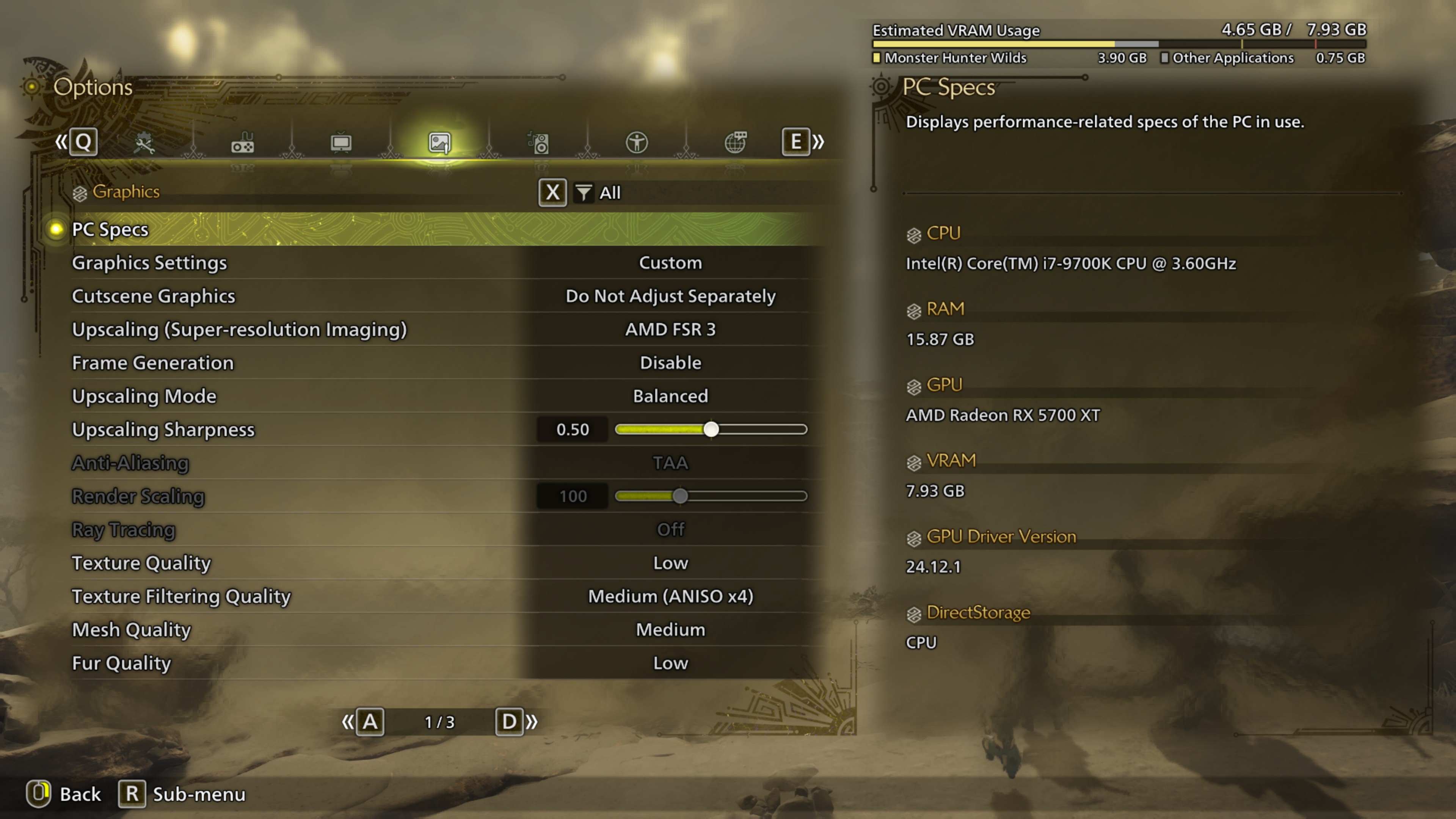
Entry-level PC: Recommended 1080p setup
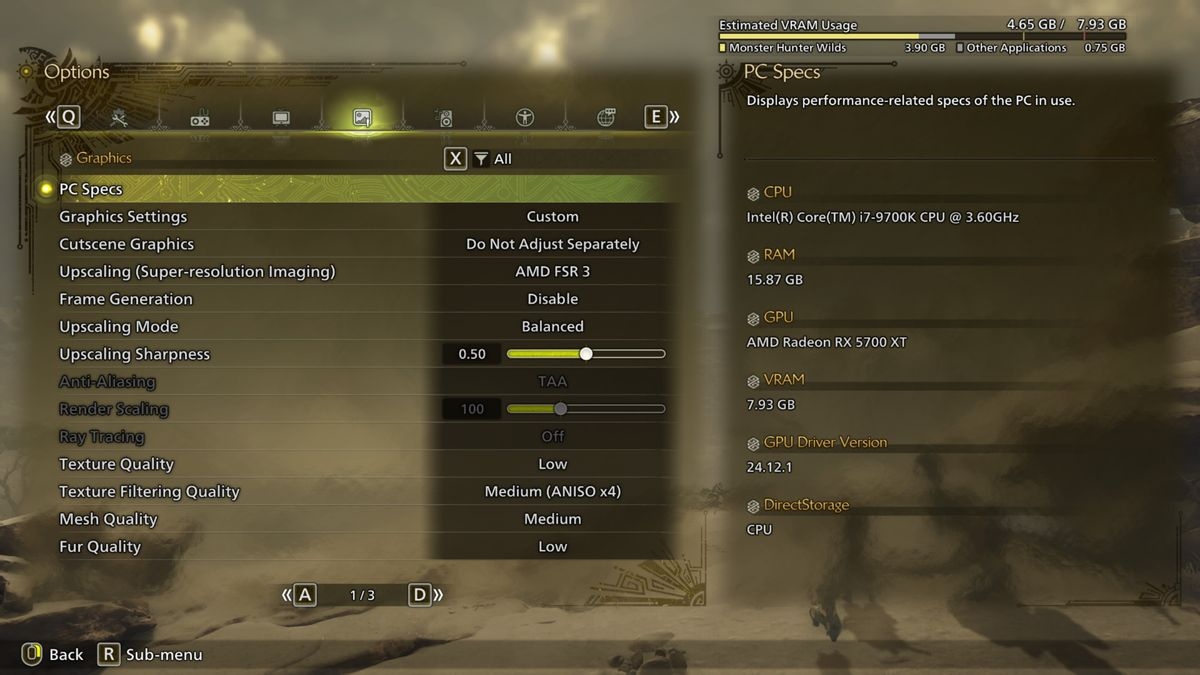
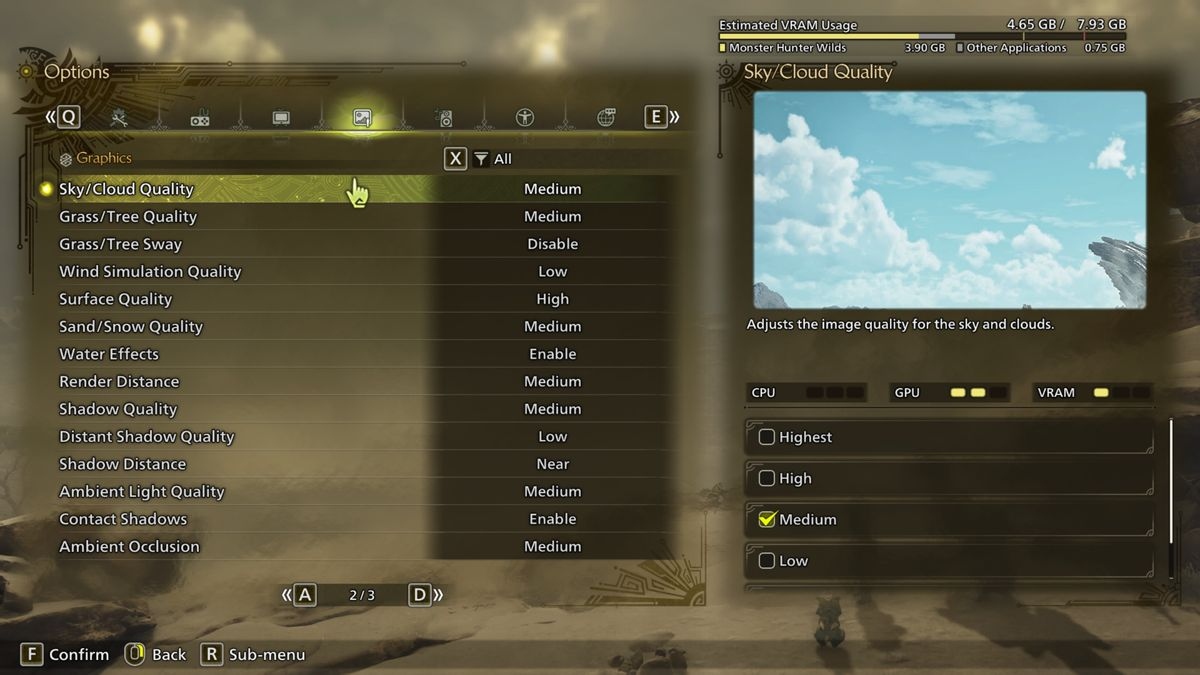
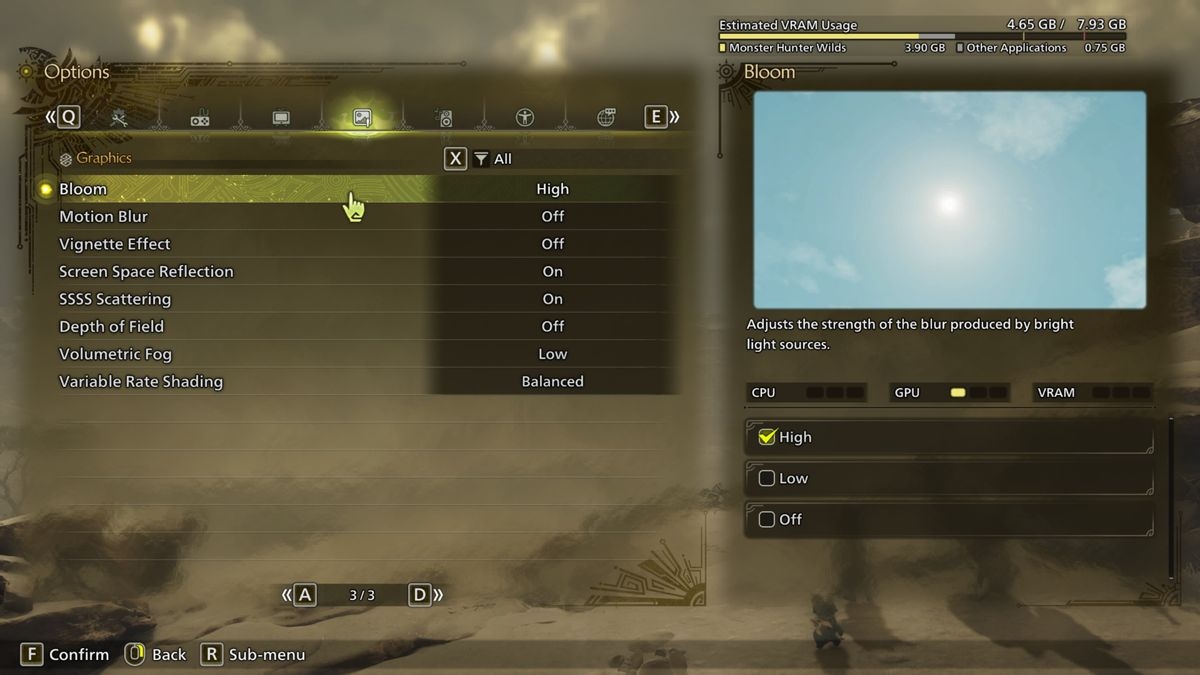
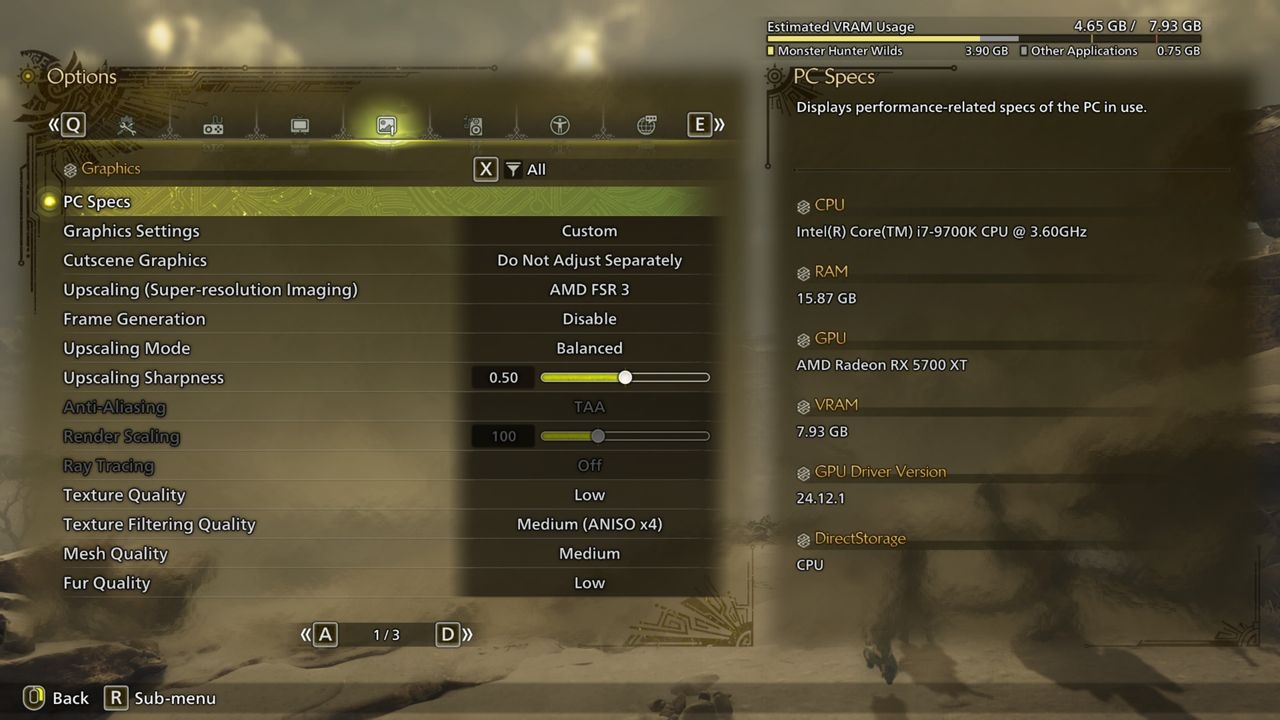
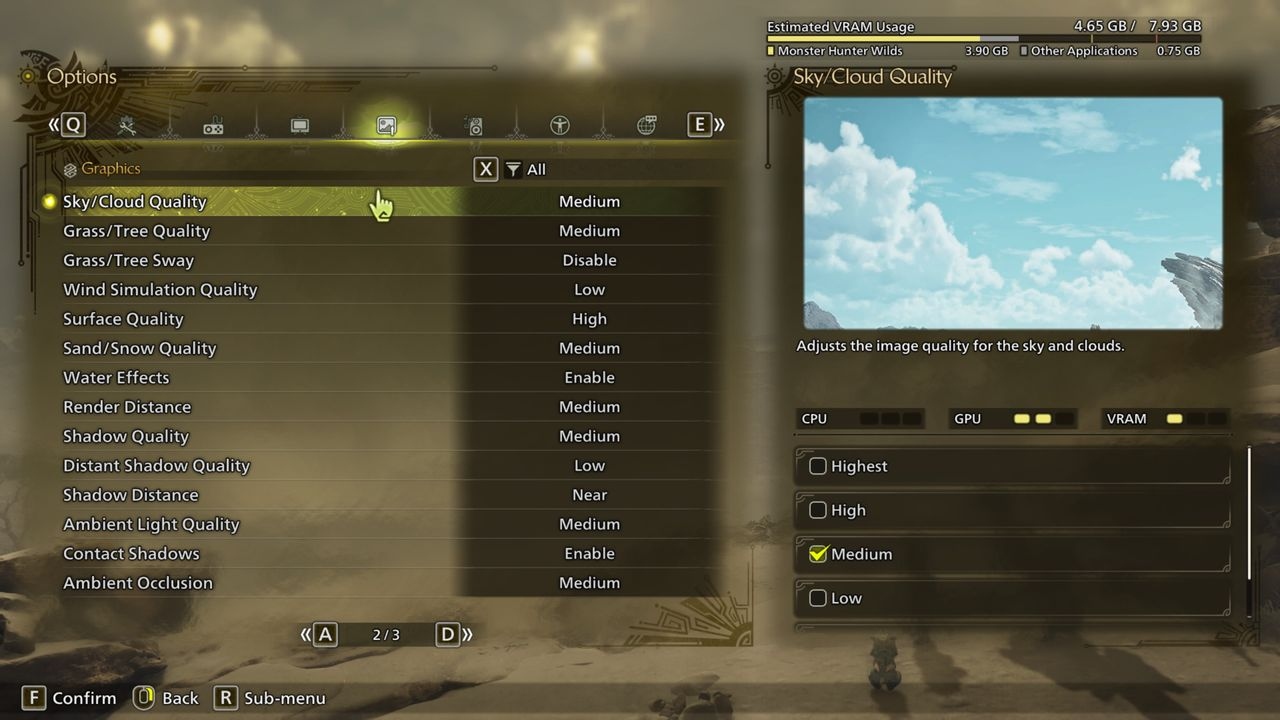
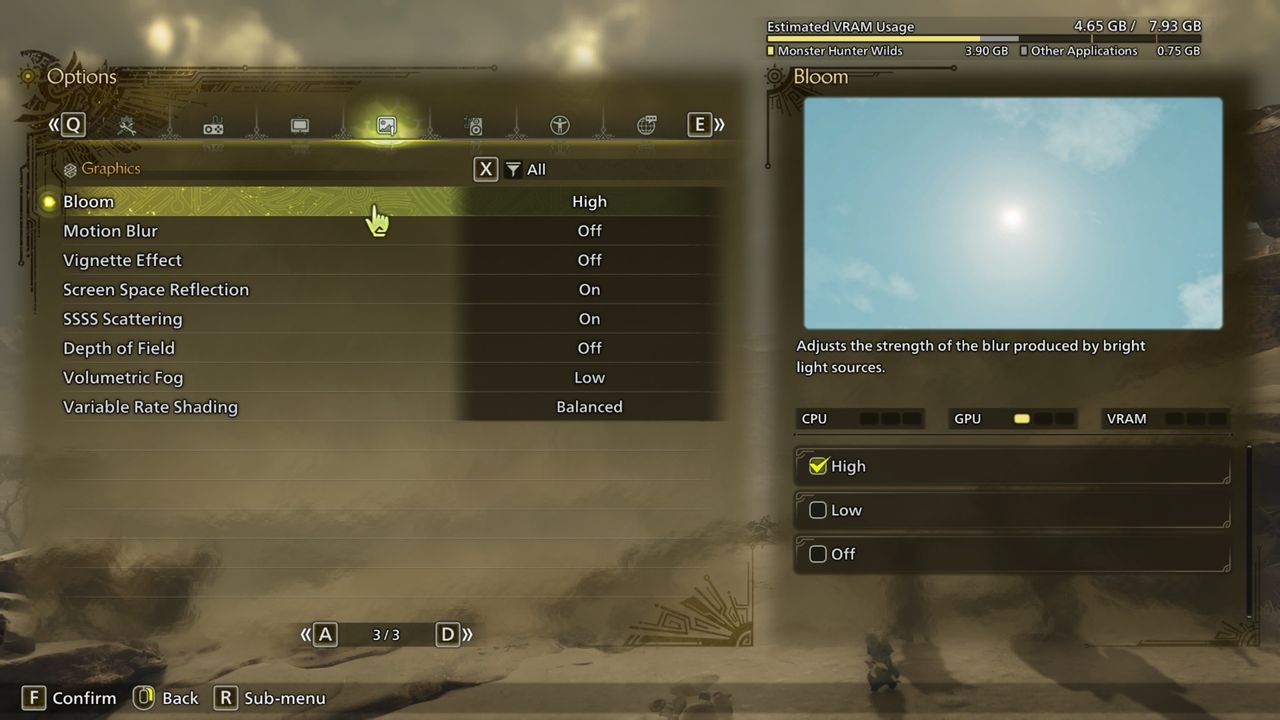
The complete settings comparison appears below. For the RX 5700 XT build, FSR 3 Balanced reduces the rendering workload enough to outperform native-resolution minimum settings while allowing better graphics.
Increasing quality merely to keep GPU utilization at 100% substantially worsened 1% lows. After extensive adjustment, Evanson obtained generally smooth performance, although object-heavy scenes still caused pronounced dips.
Frame generation worked and raised the reported average, but barely improved 1% lows, so it was left off. The Core i7 9700K, broadly comparable to Capcom's minimum recommended processors, struggled somewhat. Initial shader compilation took 24 minutes; subsequent runs needed less than 20 seconds.
Evanson also tried this configuration on an Asus ROG Ally. A consistent 30 fps required FSR 3 Performance, frame generation, and the handheld's 25 W mode. At 17 W, it could not sustain more than 18 fps.
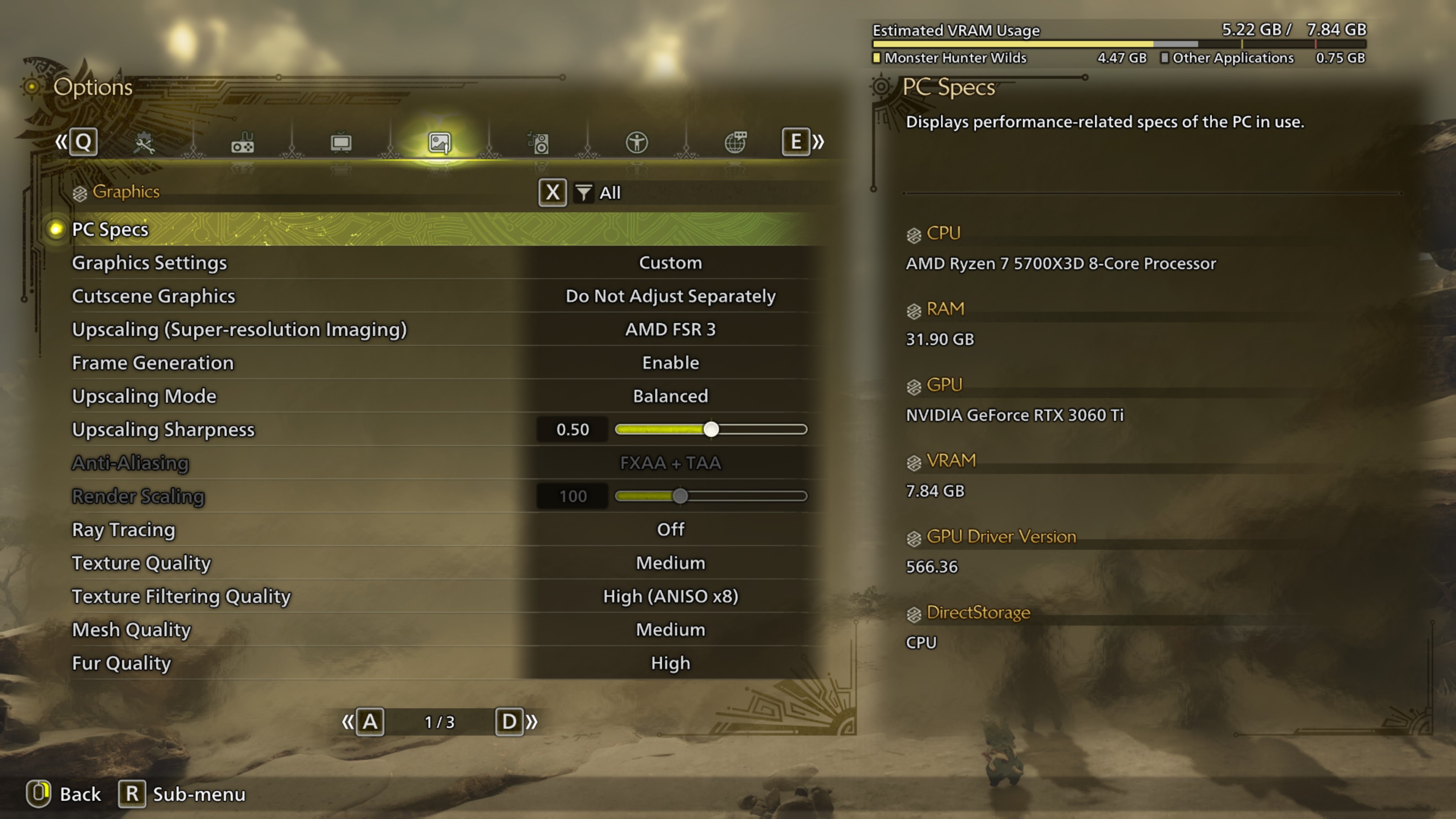
Budget PC: Recommended 1080p setup
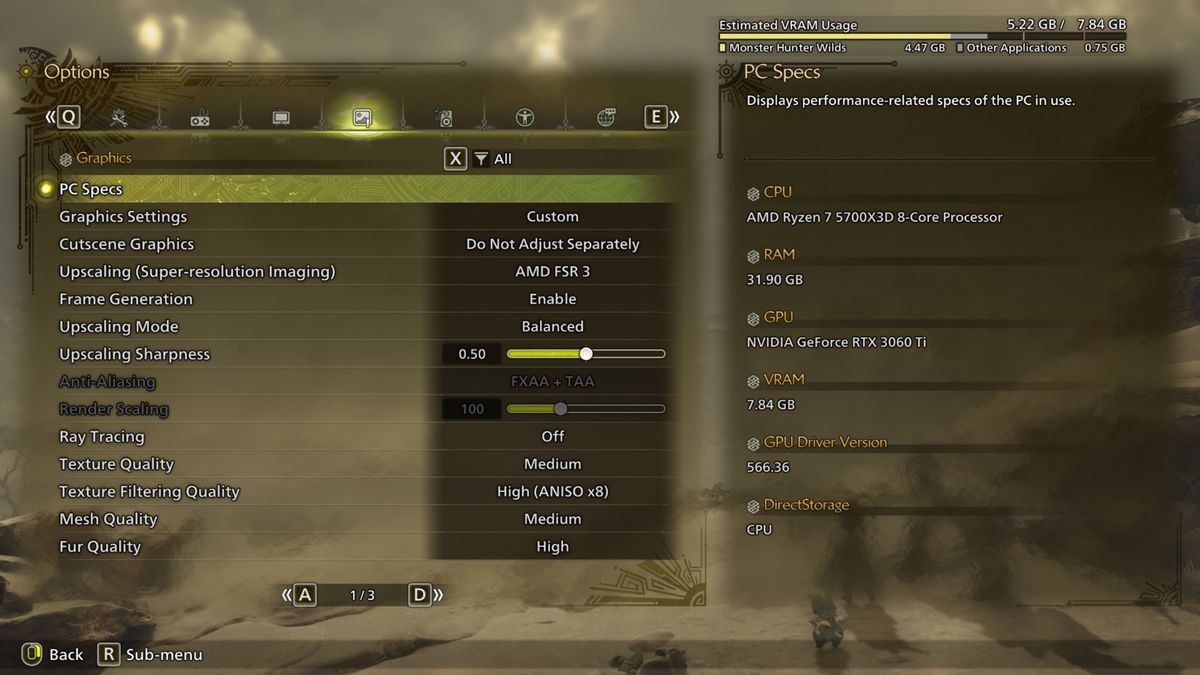
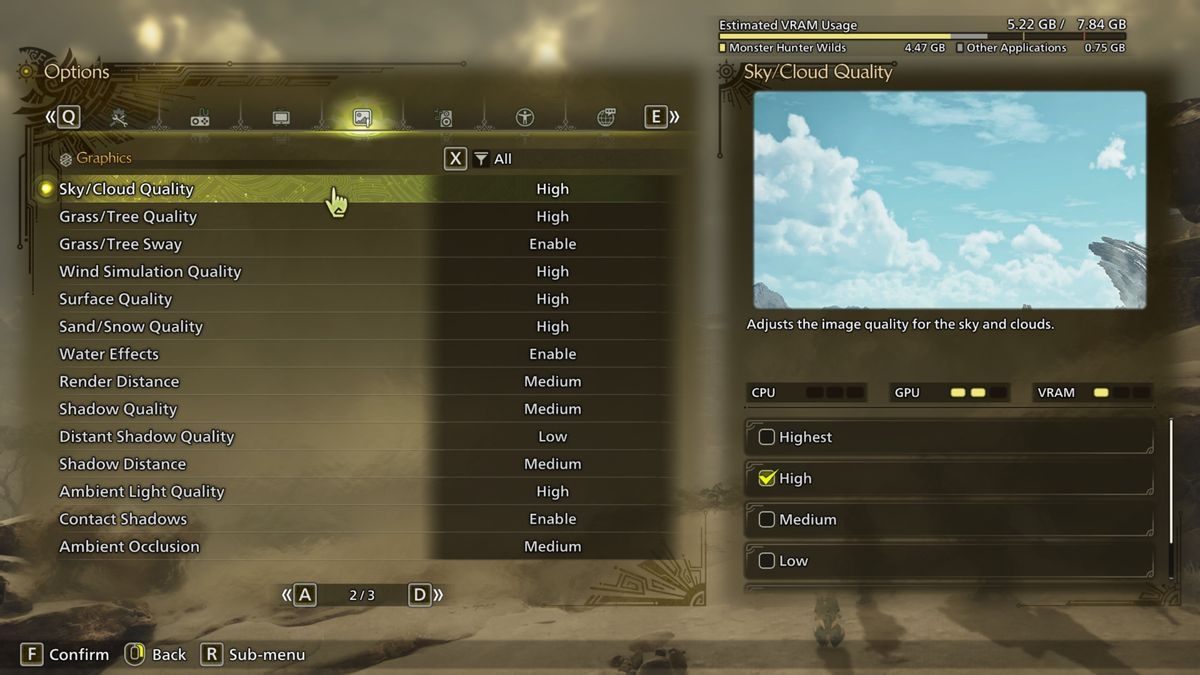
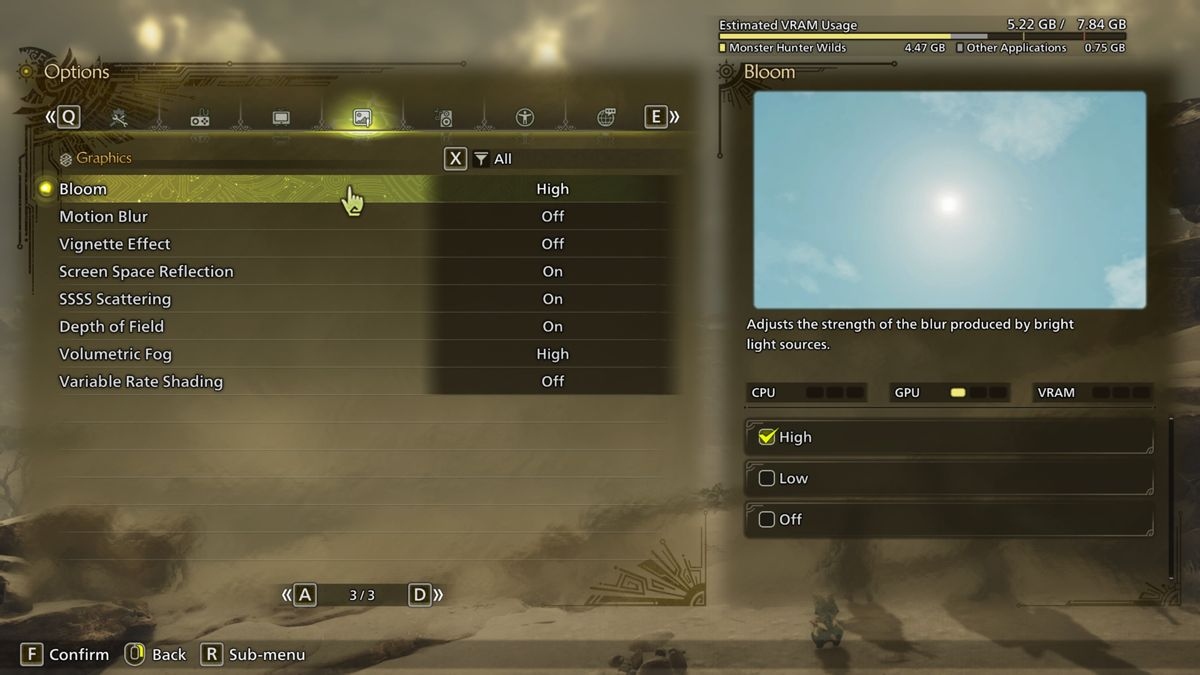
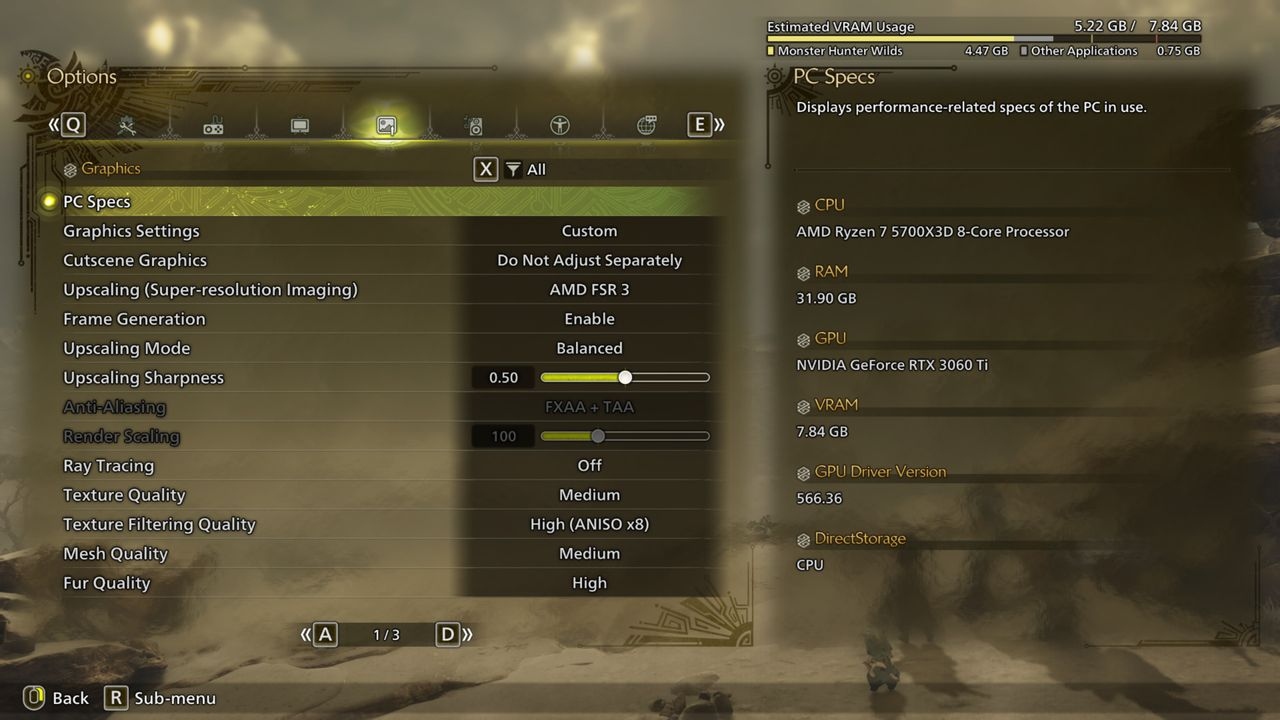
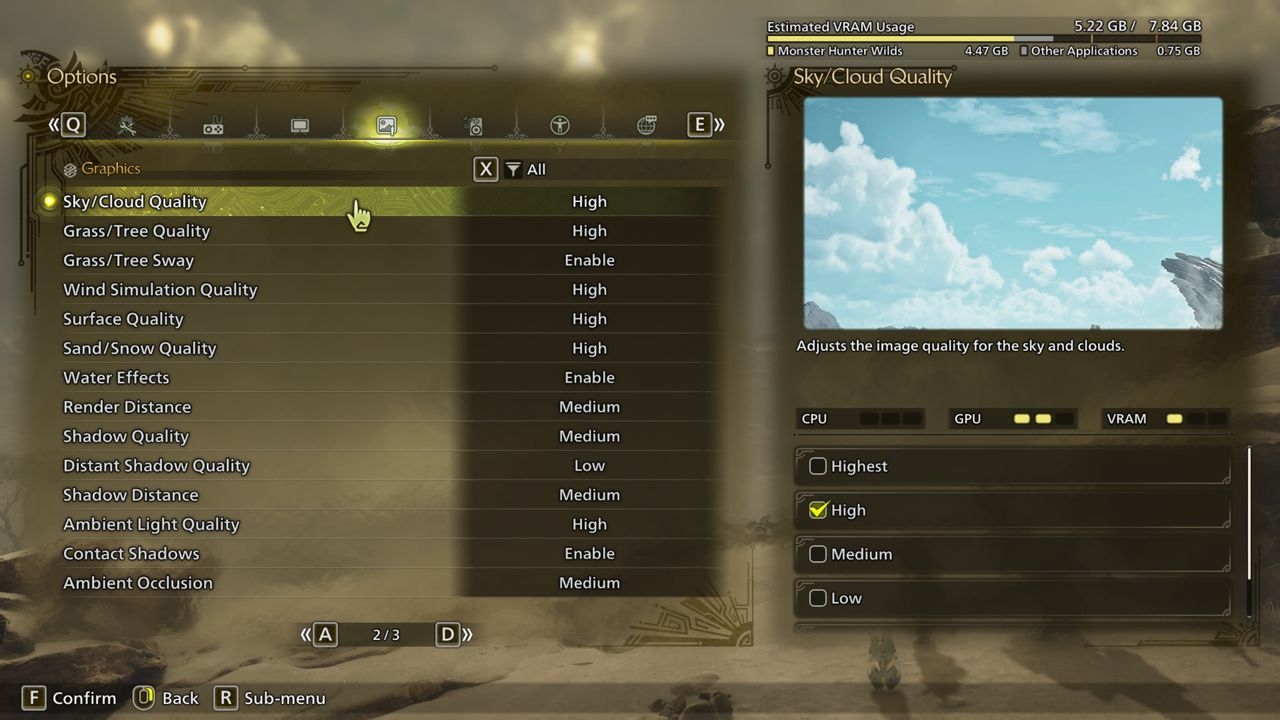
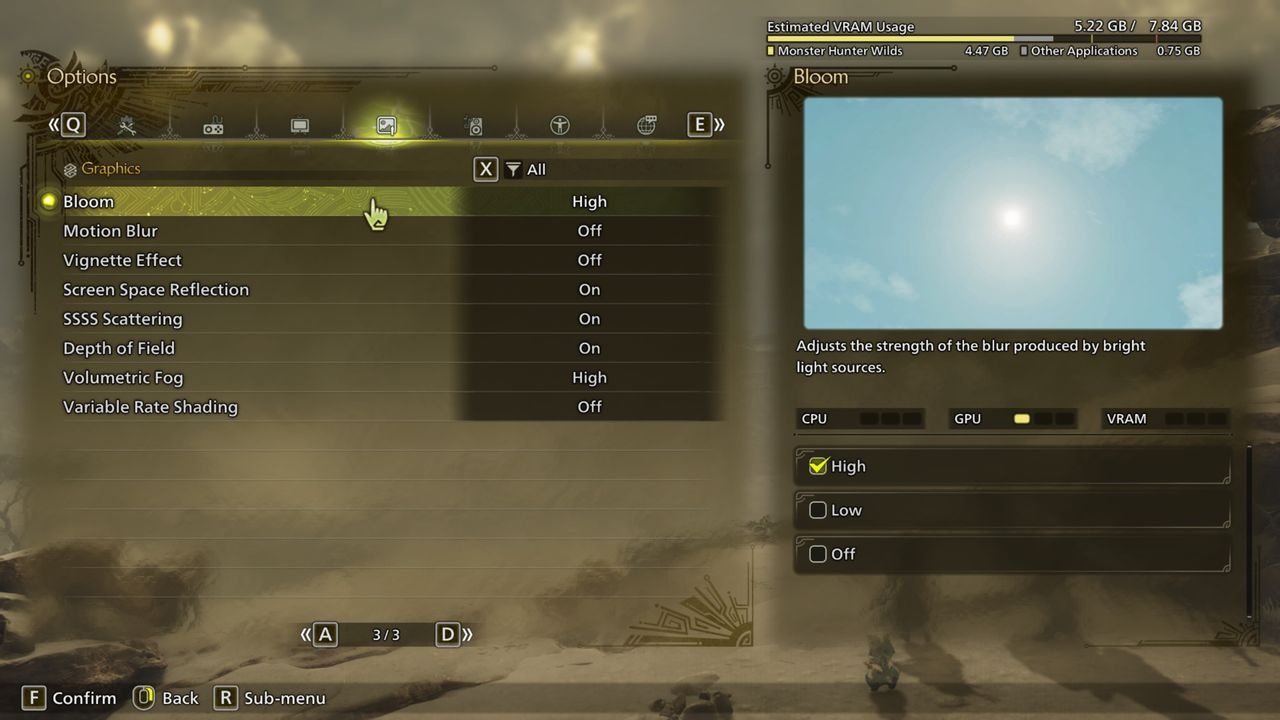
The RTX 3060 Ti has lost some of its former standing, but the Ryzen 7 5700X3D remains a strong gaming processor. Its steadier frame-time graph and more consistent overall performance were clear improvements over the 9700K system.
Most options could run at High, but mesh quality, render distance, and shadow quality needed Medium. Raising these noticeably damaged 1% lows; setting everything to High made performance too erratic for Evanson's liking.
This configuration uses both FSR upscaling and frame generation. Although the game uses FSR 3.1.3, Capcom does not allow DLSS upscaling to be combined with FSR frame generation, so both functions used FSR. Evanson found the implementation generally convincing, including generated frames, with some pixel crawling on distant scenery and foliage.

Mid-range PC: Recommended 1440p setup
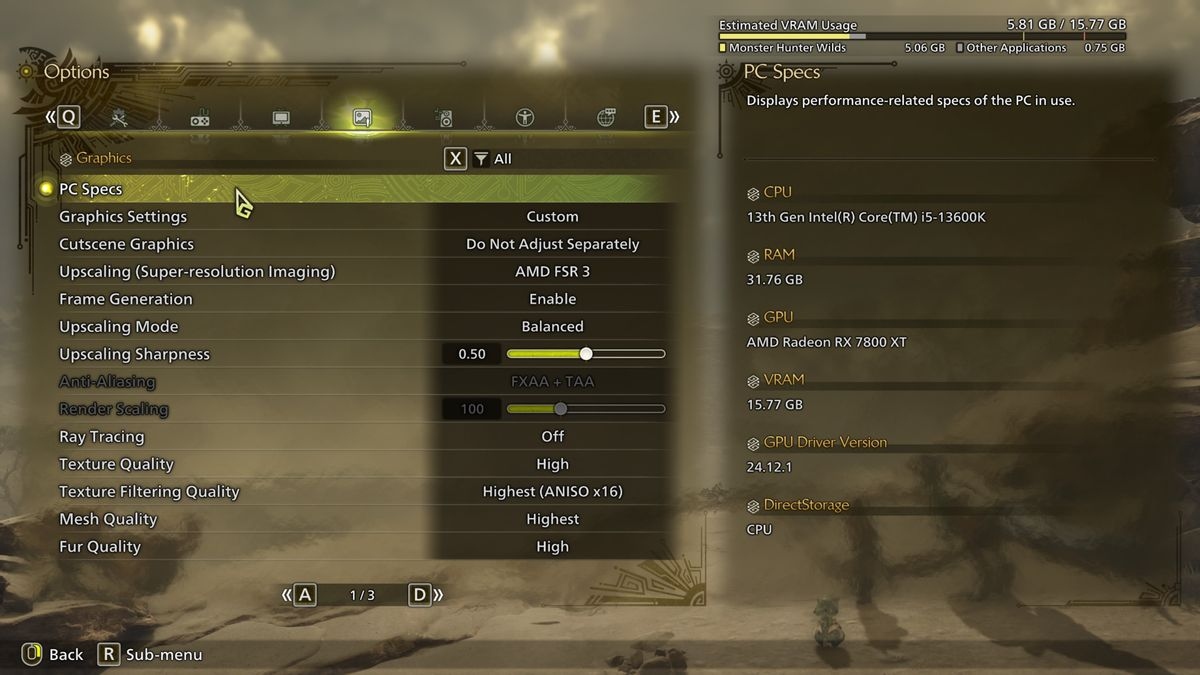
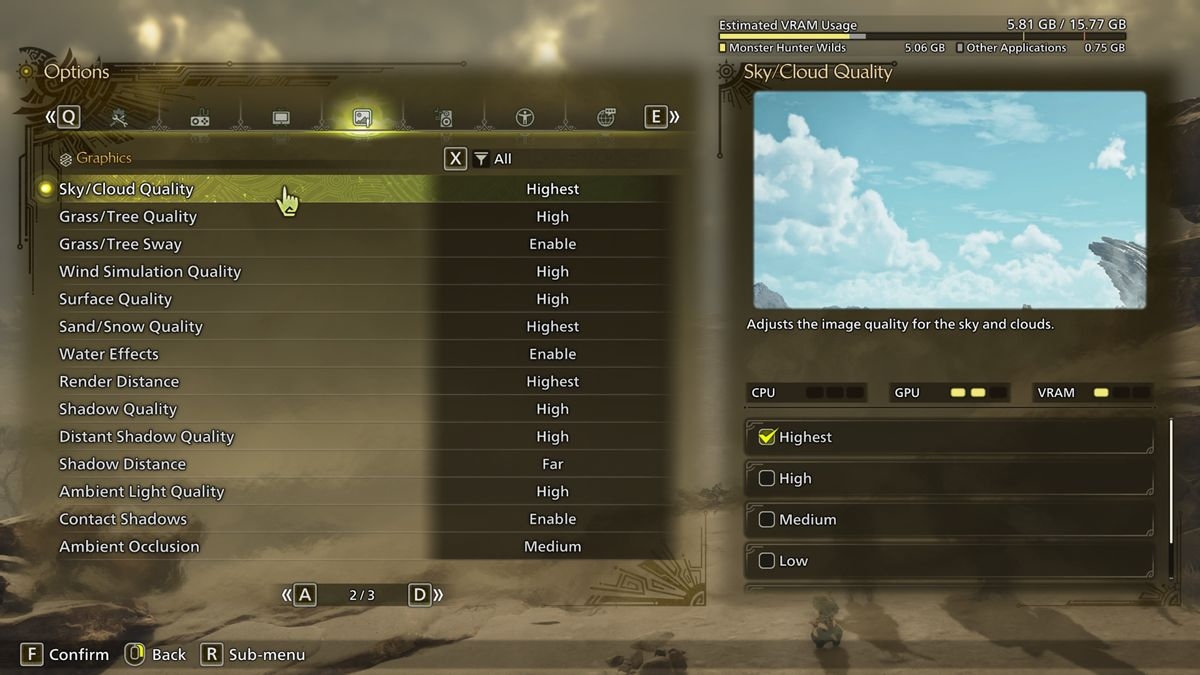
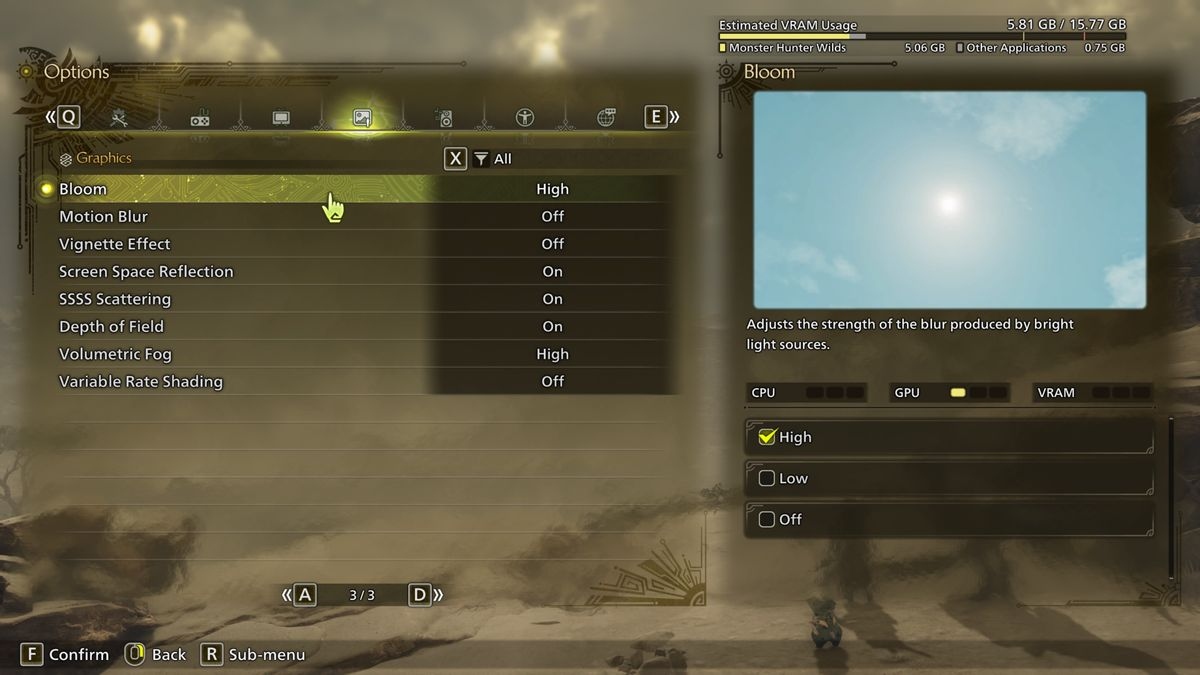
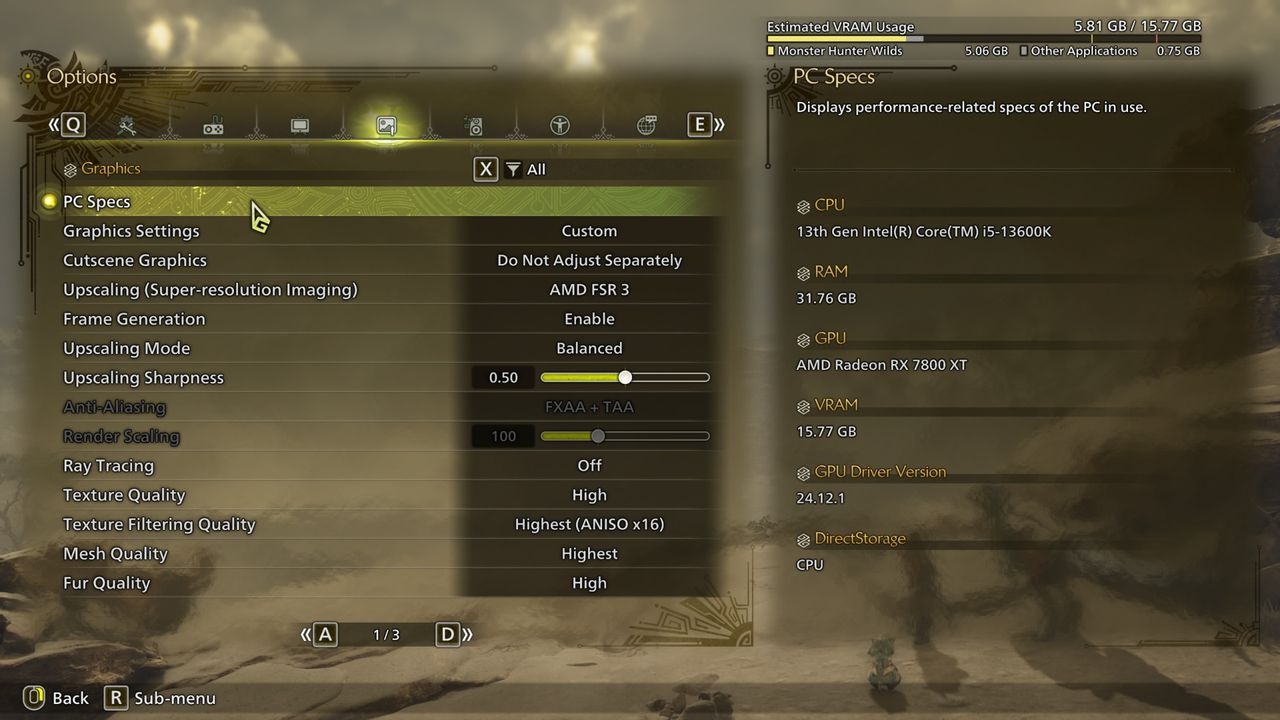
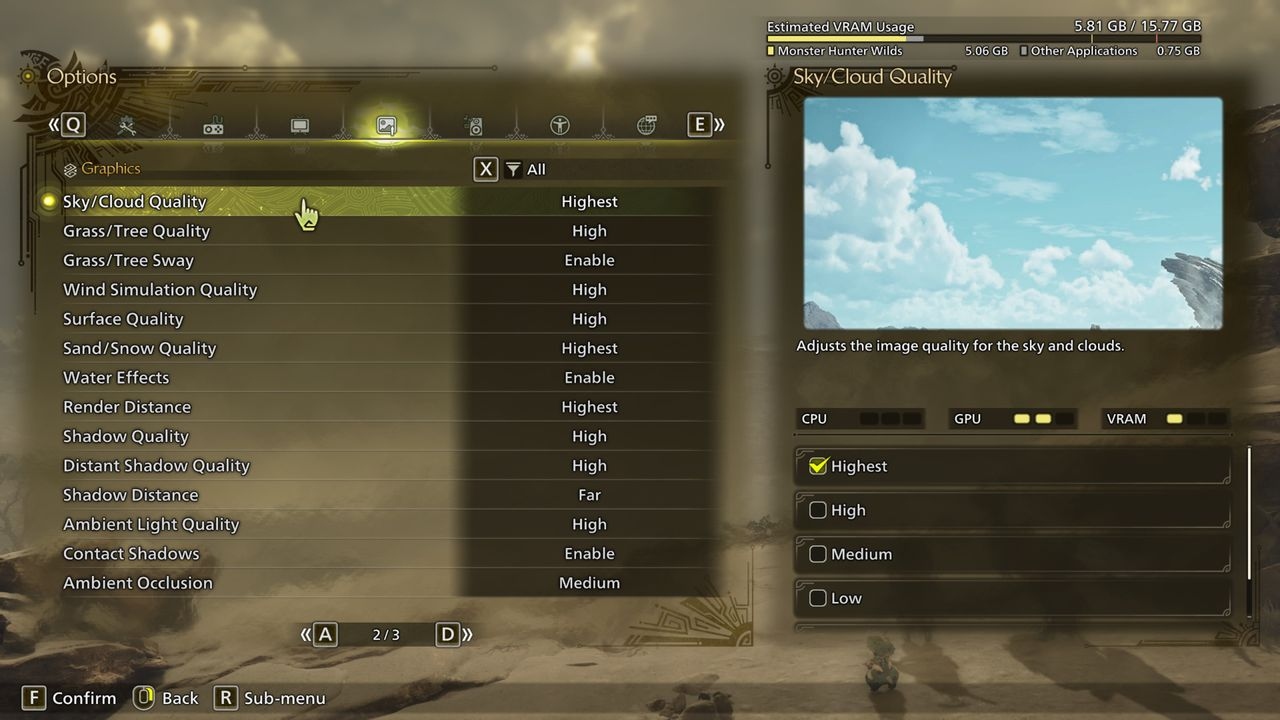
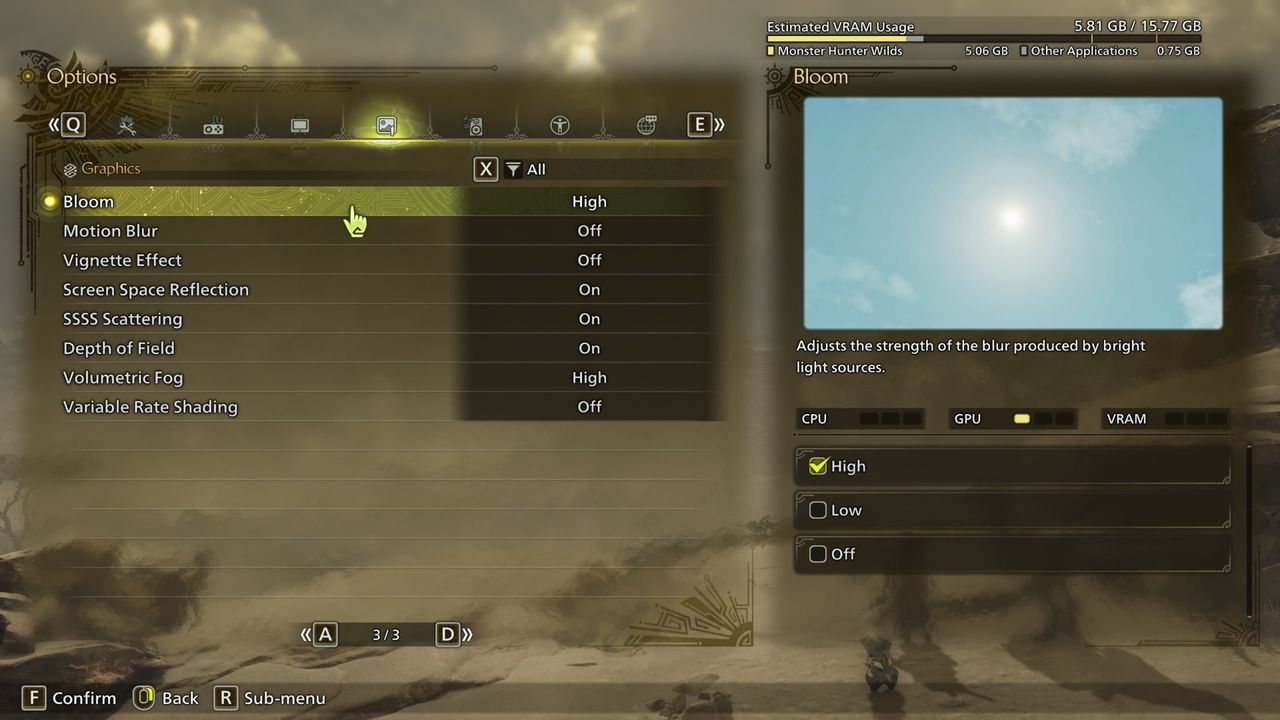
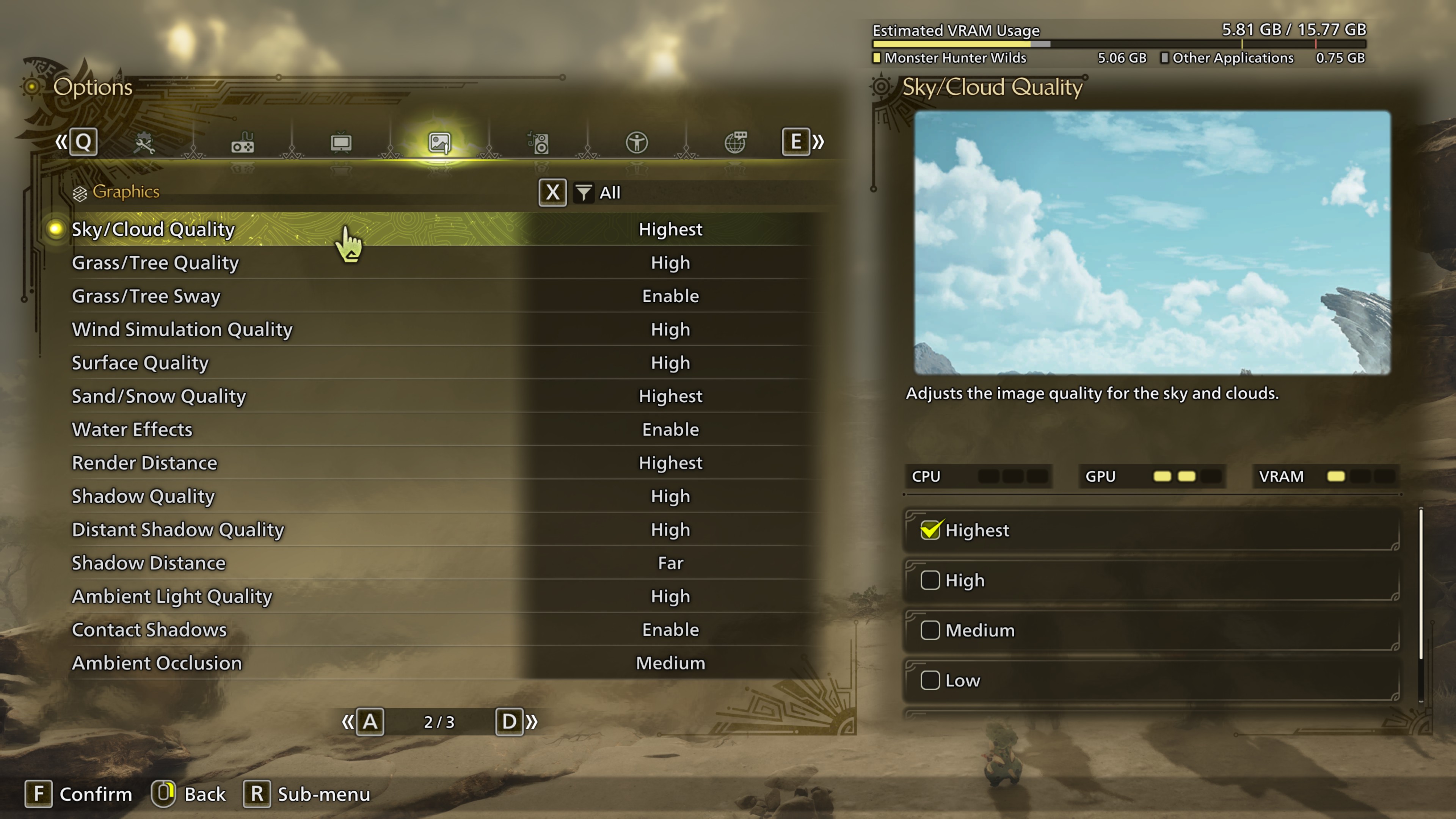
On the RX 7800 XT system, FSR 3 upscaling and frame generation enabled High or Highest for nearly all options at 1440p. Keeping ambient occlusion at Medium gave 1% lows a useful lift with very little visible compromise; the listed configuration also uses Low volumetric fog.
The highest texture-quality option was unavailable during the review period because it was due as a 75 GB DLC. None of the tested GPUs encountered VRAM problems without it. Evanson expected the texture pack to require ample, fast graphics memory, though he did not anticipate usage exceeding 16 GB. His expectation was that memory bandwidth, as well as capacity, would matter when using those higher-resolution textures.
High-end PC: Recommended 4K setup
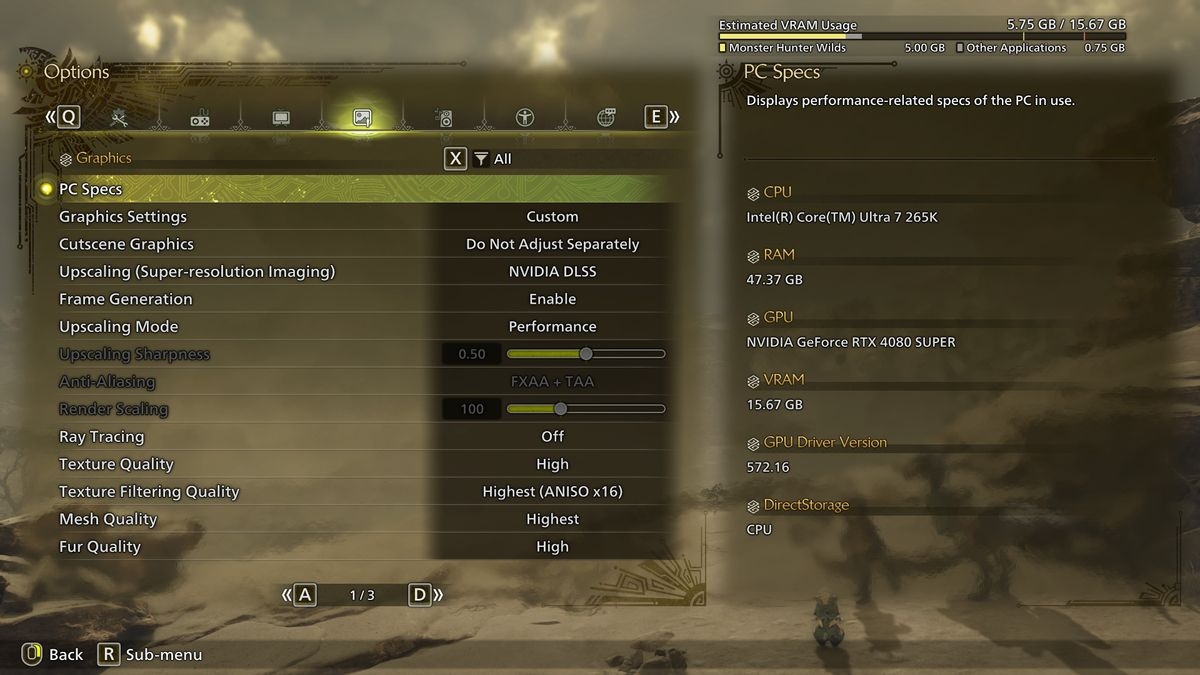
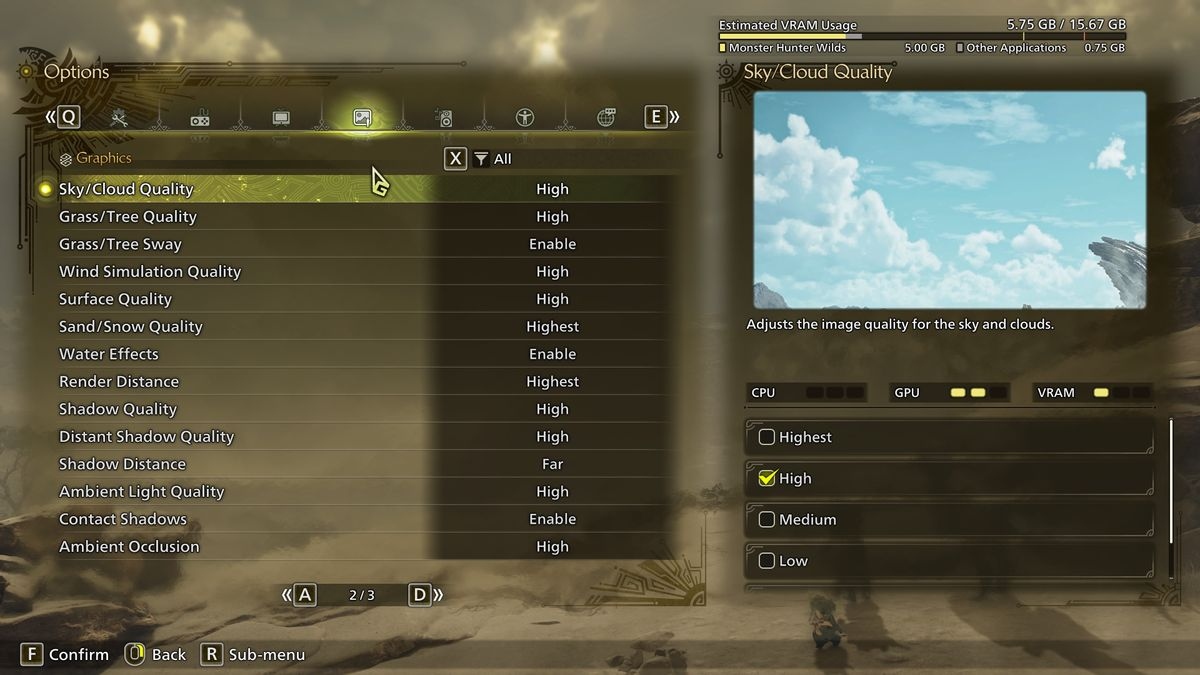
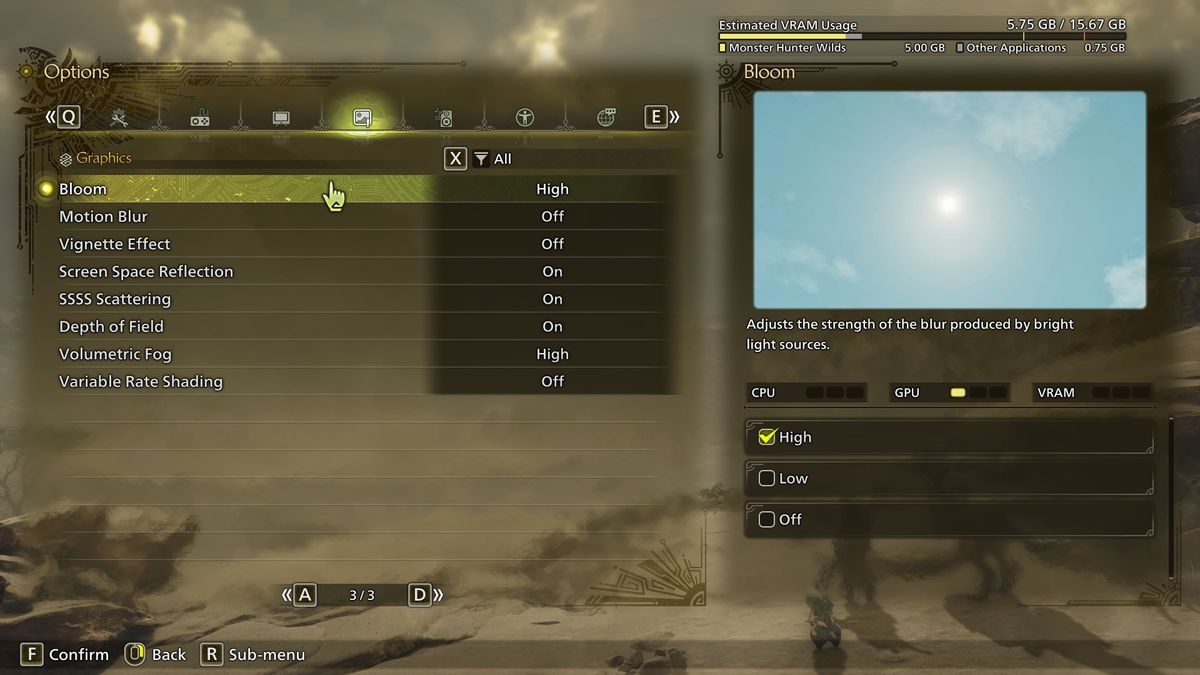
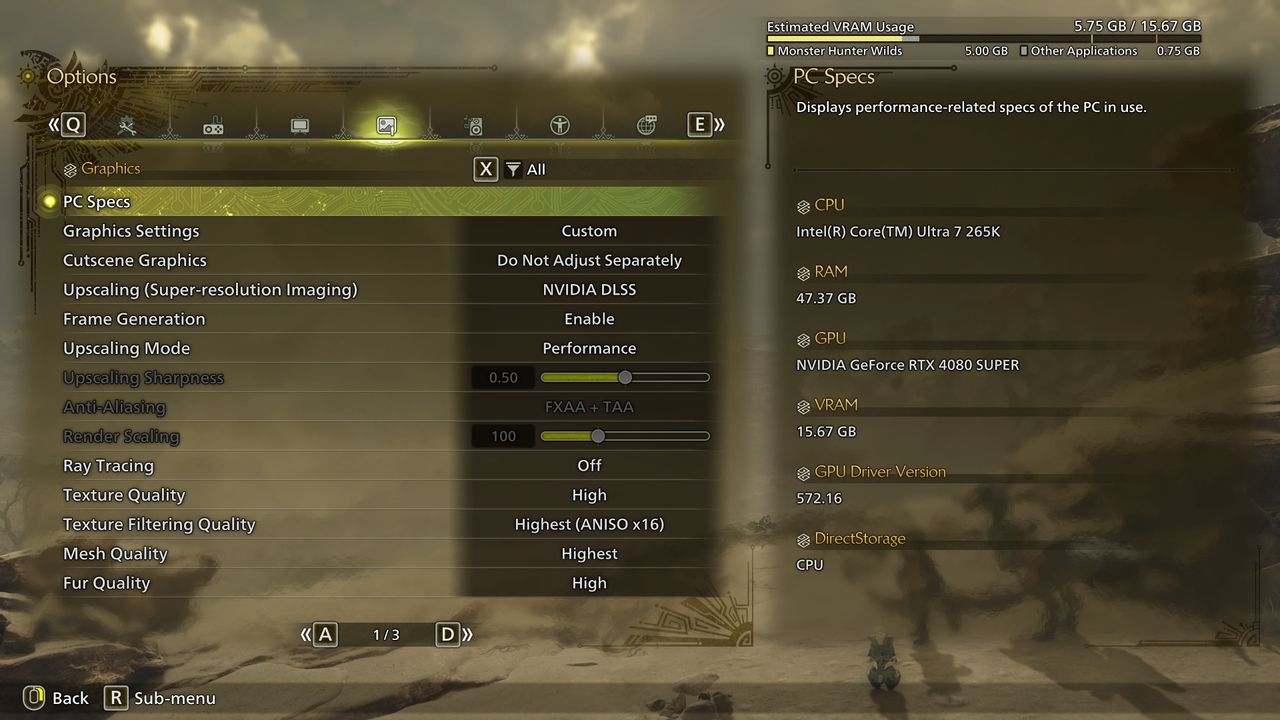
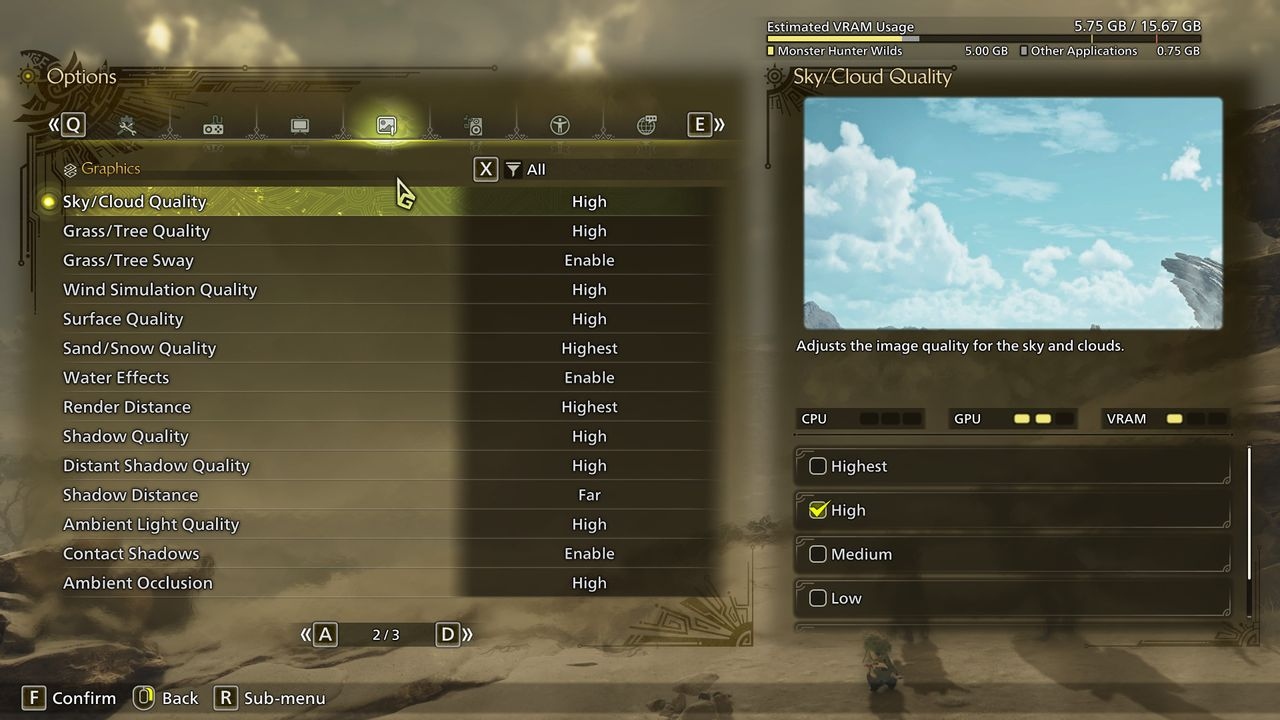
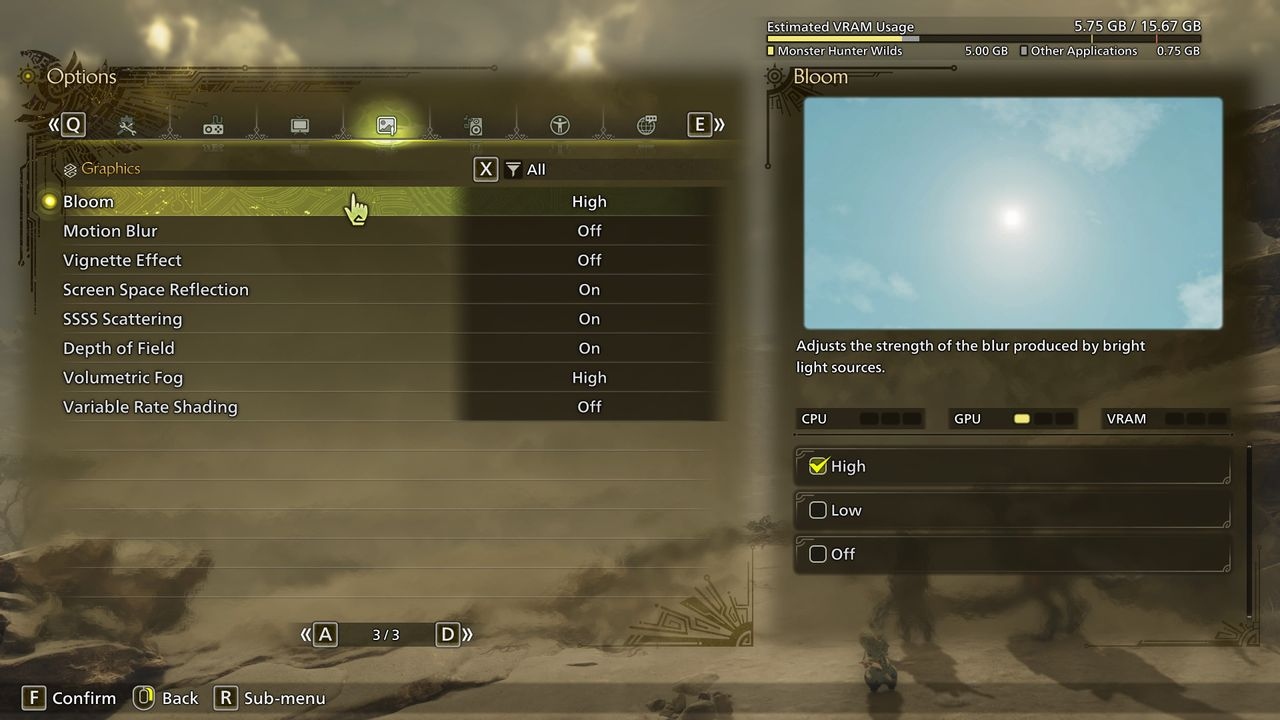
The Core Ultra 7 265K made this the most difficult build to tune. With DLSS 3.7 Performance and frame generation at 4K, the RTX 4080 Super handled almost-maximal graphics comfortably. GPU utilization nevertheless stayed below 100%, and power draw remained well below the card's 320 W maximum.
Evanson could not push 1% lows above 60 fps while retaining maximum quality. If that threshold matters, reduce shadow quality, render distance, and shadow distance. He expected a stronger gaming CPU paired with a high-end GPU to be less affected.
Full graphics settings by hardware tier
| Setting | Entry-level | Budget | Mid-range | High-end |
|---|---|---|---|---|
| Resolution | 1080p | 1080p | 1440p | 4K |
| Upscaling | FSR 3.1 Balanced | FSR 3.1 Balanced | FSR 3.1 Balanced | DLSS 3.7 Performance |
| Frame gen | Disabled | Enabled | Enabled | Enabled |
| Texture quality | Low | Medium | High | High |
| Texture filtering quality | Medium (ANISO x4) | High (ANISO x8) | Highest (ANISO x16) | Highest (ANISO x16) |
| Mesh quality | Medium | Medium | Highest | Highest |
| Fur quality | Low | High | High | High |
| Sky/Cloud quality | Medium | High | Highest | Highest |
| Grass/Tree quality | Medium | High | High | High |
| Grass/Tree sway | Disabled | Enabled | Enabled | Enabled |
| Wind simulation quality | Low | High | High | High |
| Surface quality | High | High | High | High |
| Sand/snow quality | Medium | High | Highest | Highest |
| Water effects | Enabled | Enabled | Enabled | Enabled |
| Render distance | Medium | Medium | Highest | Highest |
| Shadow quality | Medium | Medium | High | High |
| Distant shadow quality | Low | Low | High | High |
| Shadow distance | Near | Medium | Far | Far |
| Ambient light quality | Medium | High | High | High |
| Contact shadows | Enabled | Enabled | Enabled | Enabled |
| Ambient occlusion | Medium | Medium | Medium | High |
| Bloom | High | High | High | High |
| Motion blur | Disabled | Disabled | Disabled | Disabled |
| Vignette effect | Disabled | Disabled | Disabled | Disabled |
| Screen space reflections | Enabled | Enabled | Enabled | Enabled |
| SSSS scattering | Enabled | Enabled | Enabled | Enabled |
| Depth of field | Disabled | Enabled | Enabled | Enabled |
| Volumetric fog | Low | High | Low | High |
| Variable rate shading | Balanced | Disabled | Disabled | Disabled |
Ray tracing, anti-aliasing, and upscaling
Ray tracing affects only water reflections in Monster Hunter Wilds. Evanson considered its performance cost unjustified for the occasional opportunity to admire an accurately reflected landscape.
The conventional anti-aliasing choices are TAA or TAA with FXAA, the latter adding a shader routine to improve edges. Disabling anti-aliasing is possible but strongly discouraged. Neither conventional option matches the results from DLSS, FSR, or XeSS. With spare performance, each upscaler also offers an AA mode for better image quality.
Because resolution has such a pronounced effect, Evanson recommends leaving upscaling enabled unless using hardware such as a Ryzen 7 9800X3D with an RTX 4090 or 5090. Upscaling, supplemented by frame generation where possible, makes Wilds run reasonably well. Its reliance on those features for decent performance remains a disappointment for PC players.
Related Monster Hunter Wilds coverage from PC Gamer



About Nick Evanson
Nick's interest in games and computers began in the early 1980s. After university, he taught physics and IT before starting to write about technology in the late 1990s. He produced 3DMark and PCMark help files with MadOnion, briefly worked at Beyond3D.com, then joined the renamed Futuremark as editor-in-chief of its PC gaming site, YouGamers. Following that site's closure, he spent years teaching engineering and computing before returning to writing, including four years covering PCs and technology at TechSpot.com. GPUs and open-world, grind-heavy RPGs remain particular interests.