
CPU overheating is a common cause of unexpected computer shutdowns, particularly when gaming or running demanding animation and video-editing software. Opening too many browser tabs can also make a Windows PC run hot. Excessive CPU temperatures should not be ignored: over time, they can damage the motherboard and other hardware.
Monitoring CPU temperature helps you spot increases and take steps to reduce them. Many utilities display temperature readings, but fewer provide alerts when a specified threshold is exceeded. The following free tools offer temperature monitoring, with several also providing overheating warnings.
RealTemp
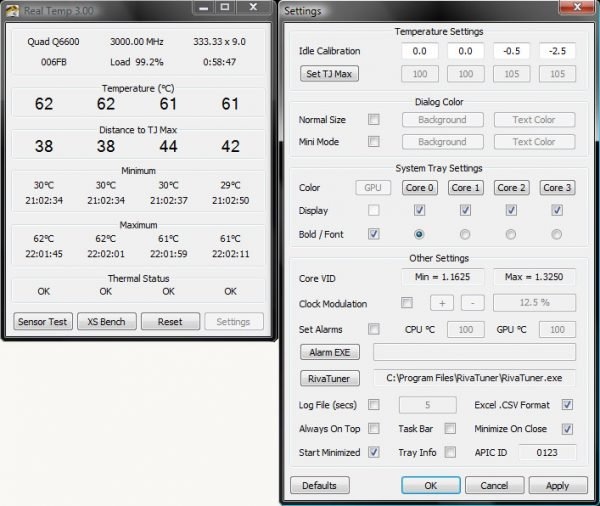
RealTemp is a free, fast and accurate monitor that records minimum and maximum temperatures for each CPU core, with logging support. It works with Windows 10 and most earlier versions, and supports Intel single-core, dual-core, quad-core, and Core i7 processors.
Its Alarm option sounds a siren when the CPU exceeds the temperature threshold, repeating the warning at regular intervals. It can also run in the system tray and trigger an alarm when a core reaches its maximum temperature.
To configure the alarm:
- Download and install Real Temp from here.
- Open Settings at the bottom of the window.
- Enter the CPU and GPU Temperature limit values that should trigger an alarm.
- Select Set Alarm.
- Click Apply to save your settings.
CPU Thermometer
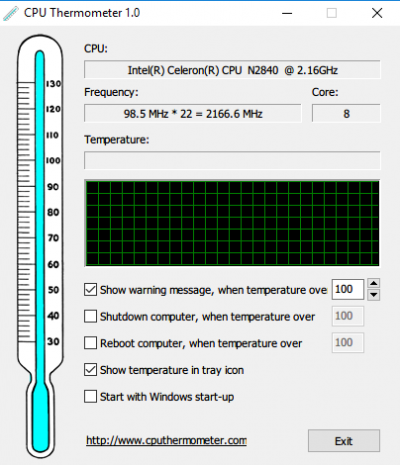
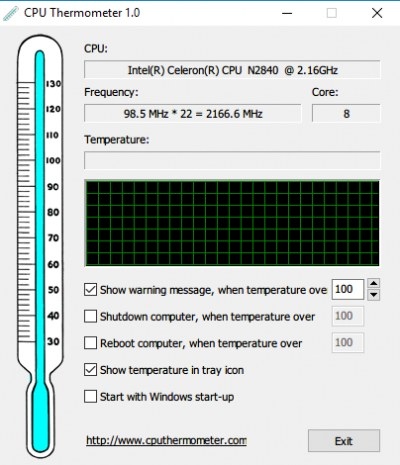
CPU Thermometer provides real-time CPU temperature readings through a desktop tray icon. Free to download and compatible with most AMD and Intel processors, it also displays CPUID, core number, current temperature, and frequency.
The utility can show a warning when the CPU temperature passes its threshold. To enable it:
- Download and install the program from here.
- Launch the application.
- Click Show warning message to enable overheating alerts.
CPU Monitor and Alert
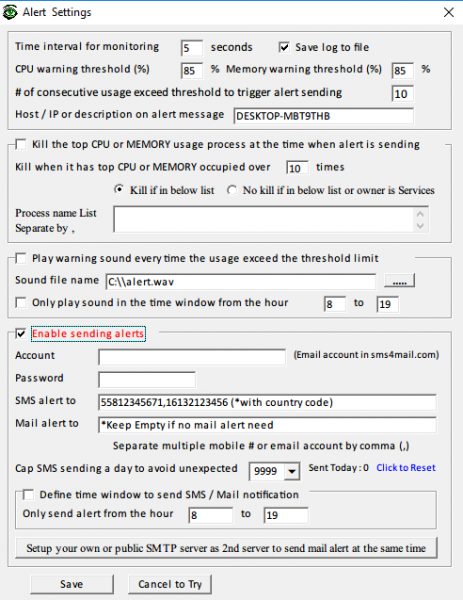
CPU Monitor and Alert continuously monitors the processor and system memory, notifying you when CPU or Memory Usage exceeds a threshold. You can configure both the monitoring interval and the CPU and memory warning thresholds.
It also tracks CPU temperature and sends instant SMS or email notifications if the temperature remains above the maximum limit for a period of time. To set up these notifications:
- Download and install the program from here.
- Launch the program.
- Open Files and choose Setup from the drop-down menu.
- In Alert Settings, select Enable sending alerts.
- Enter the email account and password. The email account must be on sms4mail.com.
- In the SMS alter box, enter your phone number with its country code.
- Complete the Mail alert to option. This is optional and can be left unused if you do not need mail alerts.
- Click Save to apply the changes.
Core Temp
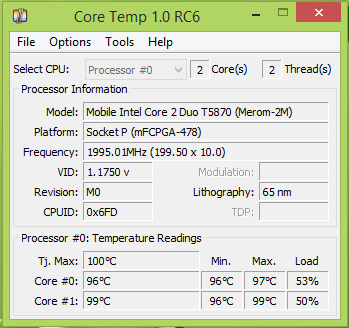
Core Temp measures and displays system temperature using the built-in Digital Thermal Sensor (DTS). Compared with thermal sensors, the DTS provides highly sensitive, accurate readings. The tool supports leading processors, including Intel, AMD, and VIA.
Other monitoring utilities
Additional options include Speed Fan, HWMonitor, Open Hardware Monitor, Moo0 System Monitor, and HWiNFO32.

