

Nvidia's updated Multi Frame Generation (MFG) gives GeForce RTX 50-series owners automatic switching between frame-generation modes, including a new 6x option. Following its January CES preview and Nvidia's announcement earlier this month, Nick Evanson tested the feature to see where it helps—and where additional generated frames fall short.
How Dynamic Multi Frame Generation works
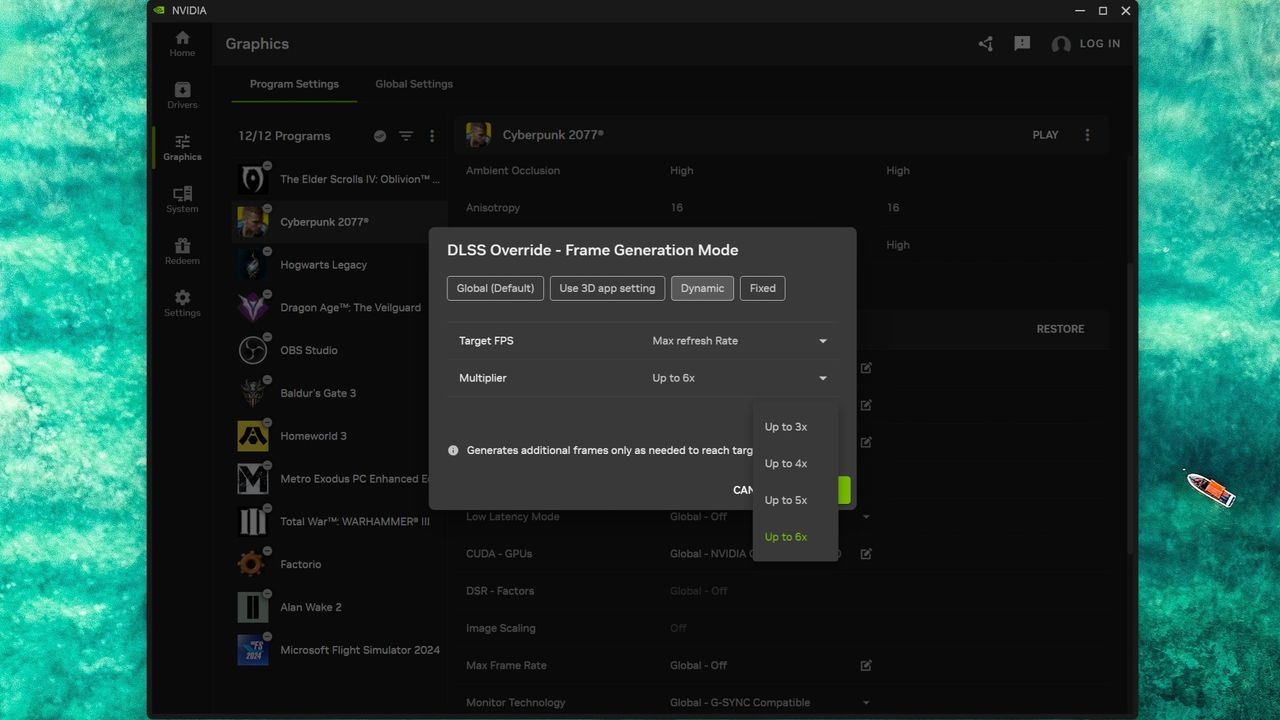
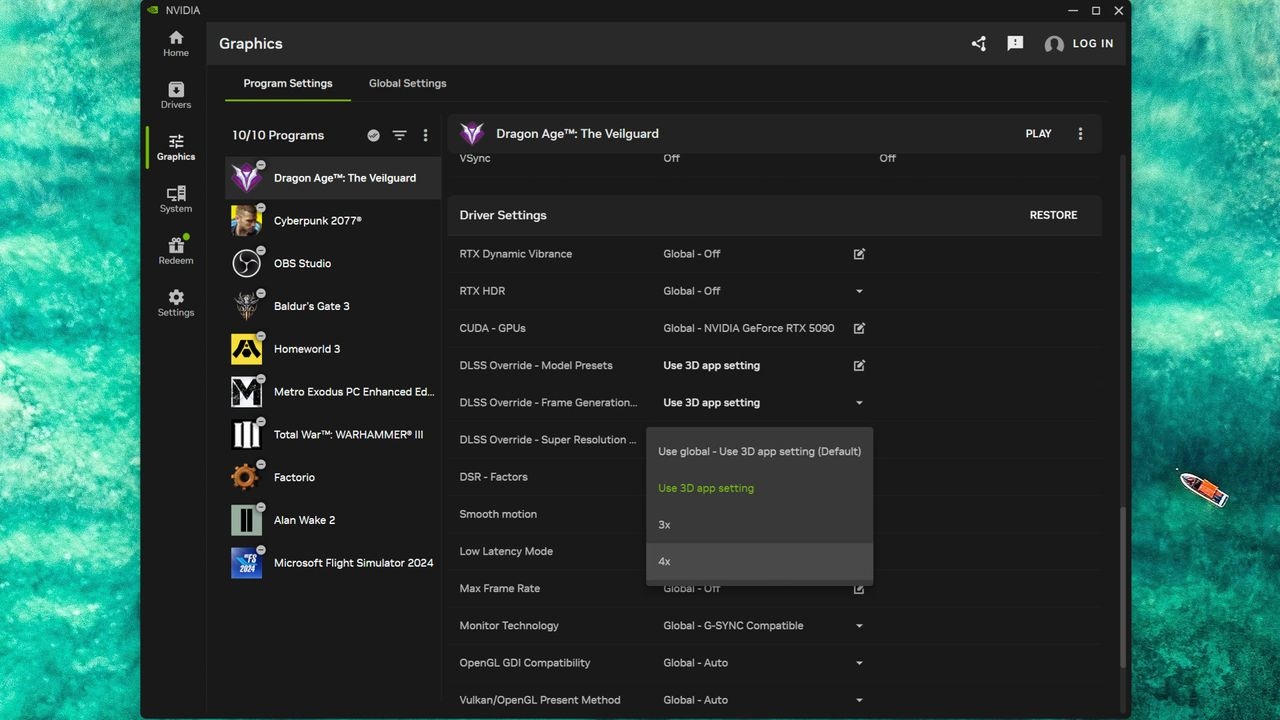
DLSS MFG retains two conventionally rendered frames in VRAM, then uses AI to interpolate frames between them. Generating one intermediate frame provides 2x mode; two gives 3x, three gives 4x, and the latest update allows five for 6x. Although MFG supports 5x, there is no option to force that multiplier as a fixed override.
Dynamic Multi Frame Generation chooses a mode according to game performance and the monitor's maximum refresh rate. On a 240 Hz display, for instance, it switches multipliers to bring output close to 240 fps rather than holding one fixed setting.
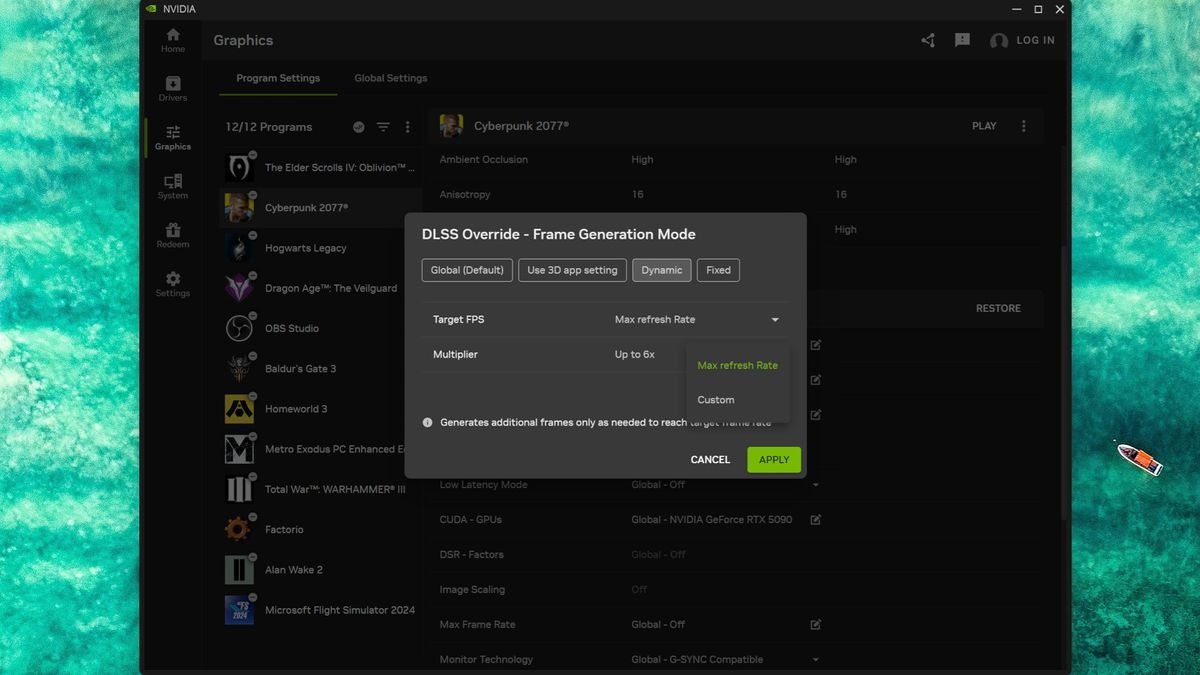
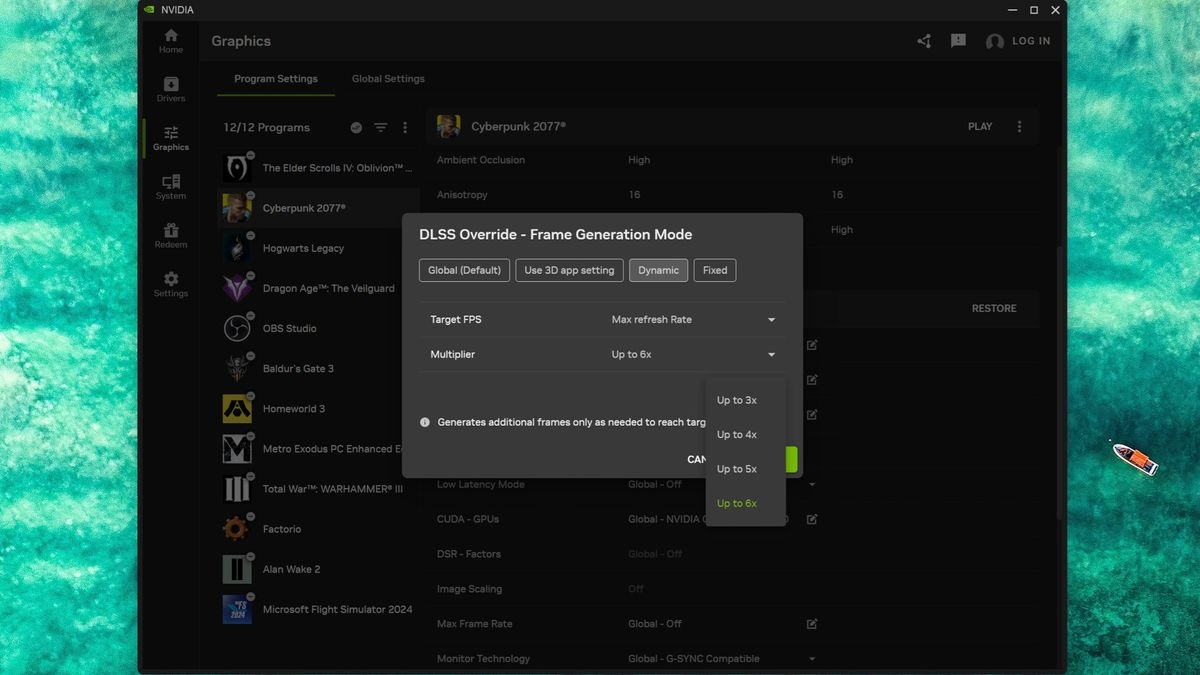
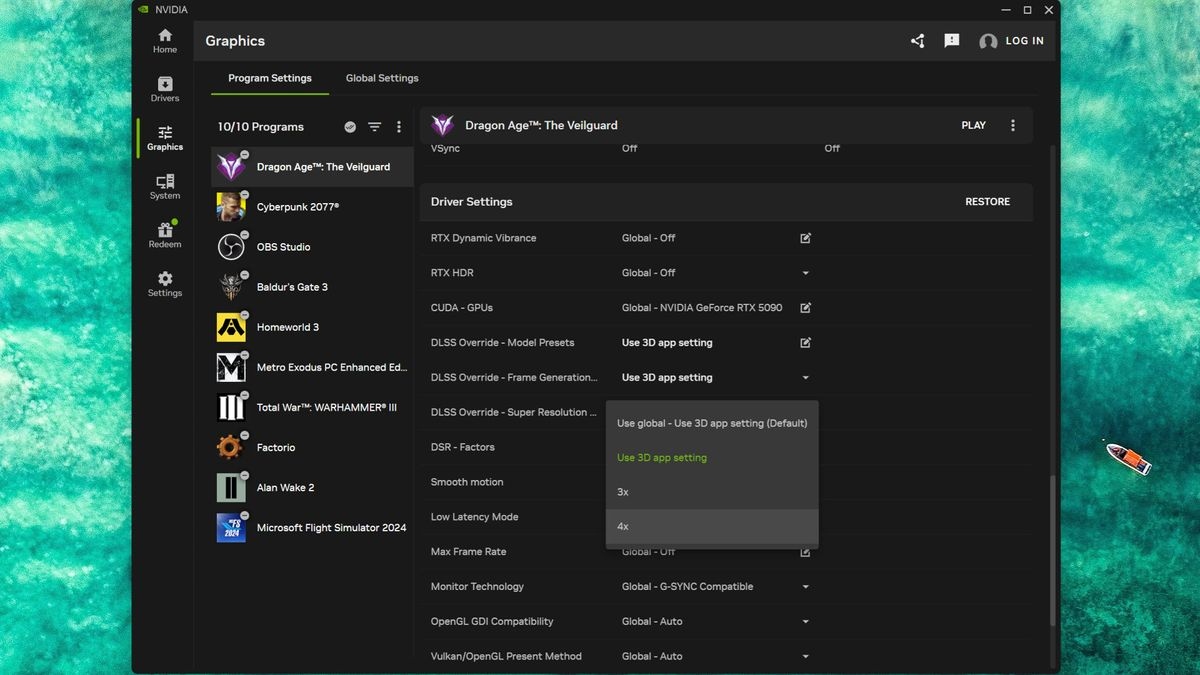
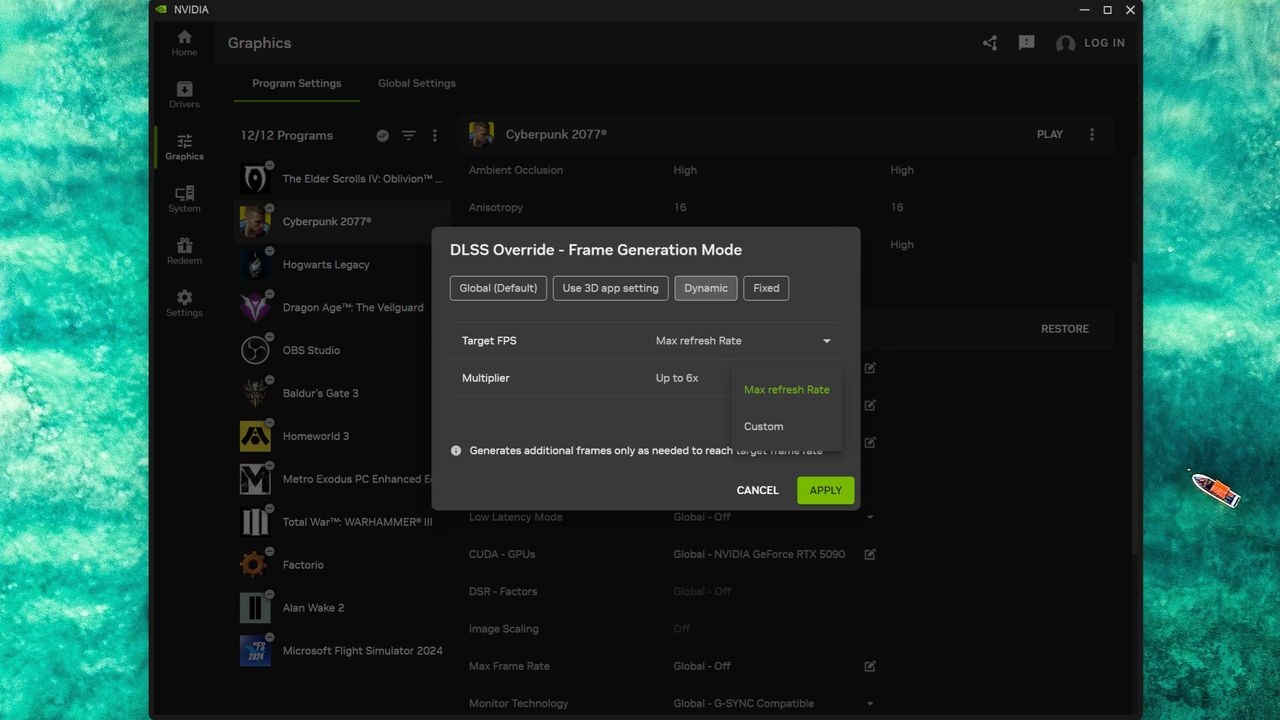
The update also introduces Preset B, an AI model that Nvidia says uses additional game-engine data to improve the clarity and visual quality of static interface elements. That benefit requires a game to expose a UI depth buffer, however, and Nvidia cautions that even supported games may not show a significant improvement.
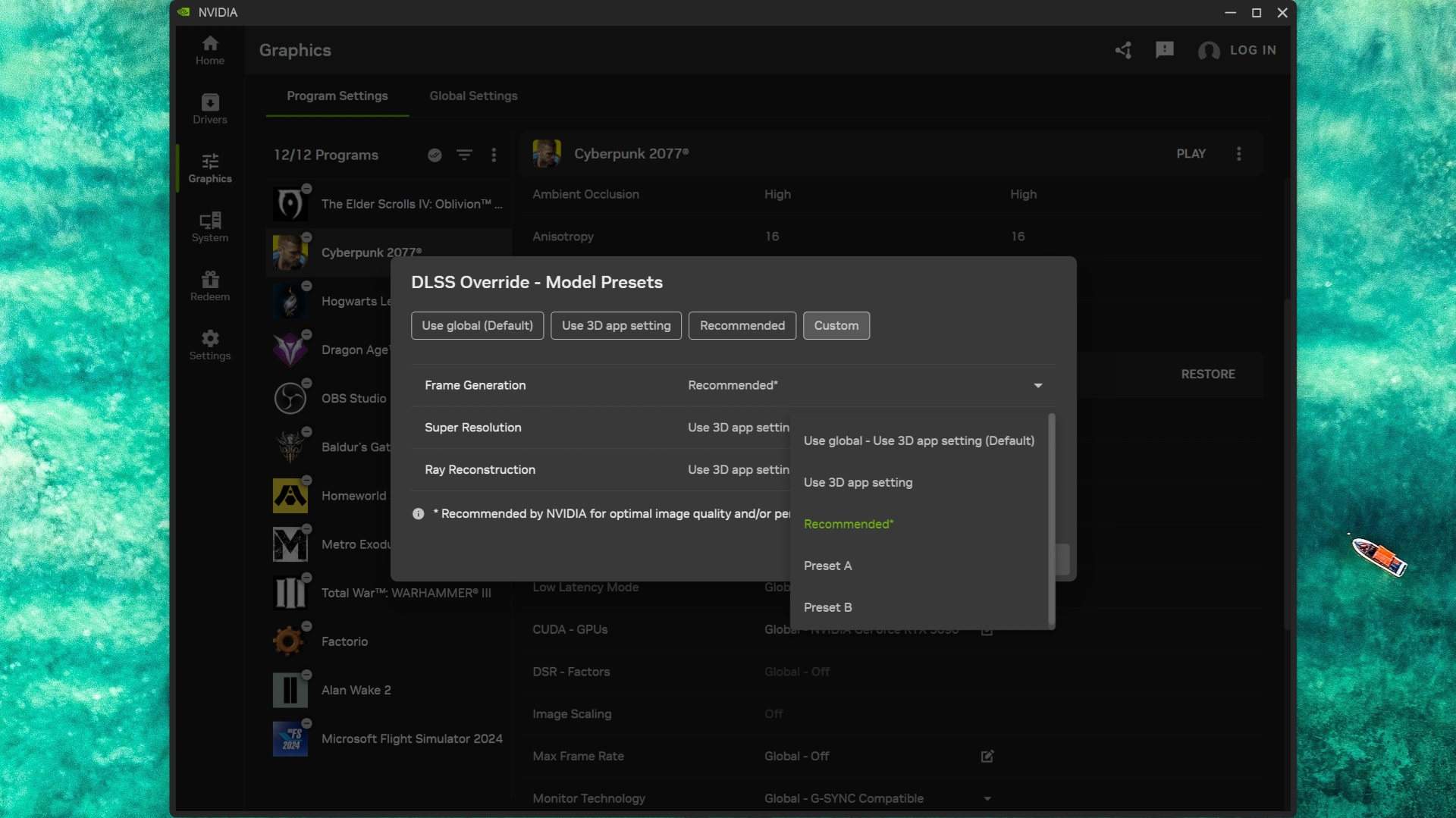
Only 20 games support Preset B, including Hogwarts Legacy and Dragon Age: The Veilguard. Other games use Preset A.
Evanson tested with a Ryzen 9 9950X3D, GeForce RTX 5090 and MSI MPG 321URX 240 Hz OLED monitor. Updated versions of Nvidia's Frameview and the Nvidia App statistics overlay supplied real-time performance, frame-generation and overall system latency (PCL) readings.
Cyberpunk 2077
RT Overdrive | 4K DLSS Performance | No frame gen
The baseline used RT Overdrive and DLSS Performance at 4K, with DLSS Ray Reconstruction and Nvidia Reflex disabled. At roughly 60 fps, PCL was low enough that Evanson noticed no input lag, yet the game looked uneven in person as well as in the recording. Frame pacing was being controlled solely by the game.
RT Overdrive | 4K DLSS Performance | In-game 4x FG
Enabling the game's 4x MFG made movement much smoother. Frame generation also enables Reflex, improving pacing, but PCL rose noticeably and camera movement felt slightly sluggish. It remained playable, although the extra delay was apparent.
Frame generation must be enabled in-game for an Nvidia app override, including 6x, to work.
RT Overdrive | 4K DLSS Performance | Dynamic MFG override
Since native 4x could not reach 240 fps, Dynamic MFG spent much of the run at 5x, occasionally returning to 4x. The display's refresh rate is a target rather than a strict requirement.
At 5x, the added input delay became more noticeable, with PCL reaching around 50 milliseconds. Evanson did not consider it game-breaking, but it illustrated frame generation's unavoidable latency cost.
RT Overdrive | 4K DLSS Performance | 6x FG override
The dynamic test never needed 6x, so Evanson tried it as a fixed override. Average frame rate increased, while PCL was not much worse than with dynamic 4x/5x. However, the uneven feel seen without frame generation returned. He suggested either the greater number of frames needing correct pacing or a peculiarity of his setup as possible explanations, without establishing a cause.
Dragon Age: The Veilguard
Ultra | 4K DLSS Performance | No frame gen
At 4K Ultra with DLSS Performance and no generated frames, The Veilguard ran well, averaging around 130 fps—still far short of 240 fps. System latency was somewhat high for that performance level, but enabling 2x frame generation unexpectedly reduced PCL.
Ultra | 4K DLSS Performance | In-game 2x FG
Evanson attributed the lower latency almost certainly to Reflex, which frame generation requires and which was disabled in every no-FG baseline. Reflex removes the frame queue, having the CPU prepare and issue rendering commands only when the GPU is ready. When the GPU is busy processing CPU submissions, that coordination can lower PCL.
With 2x enabled, output approached 240 fps. Dynamic MFG therefore stayed at 2x throughout its test, retaining the same performance and latency. Contrary to Evanson's initial concern, it did not appear to choose multipliers according to a minimum frame rate: modest dips below the display's refresh rate did not force a switch.
Ultra | 4K DLSS Performance | Dynamic MFG override
Setting the DLSS Frame Generation model override to Recommended did not enable Preset B, despite Nvidia listing the game as supported. Interface elements already looked fine with Preset A.
Evanson repeated the run with Preset B manually selected and found no difference in performance, system latency or interface quality. His subsequent Hogwarts Legacy tests produced the same finding.
Hogwarts Legacy
Ultra | 4K DLSS Performance | No FG
Hogwarts Legacy runs considerably better than at launch, but Ultra settings with ray tracing can still produce large frame-rate swings, particularly when moving from interiors into the open world.
Evanson chose a route through Hogwarts Castle that began with a relatively easy workload for the Ryzen 9 9950X3D and RTX 5090, then entered an area containing numerous NPCs and substantial ray-traced reflections. The resulting performance drop provided a useful challenge for Dynamic MFG.
Ultra | 4K DLSS Performance | In-game 4x FG
Like Cyberpunk 2077, Hogwarts Legacy supports native MFG up to 4x. That setting greatly increased output, but the demanding section still felt slightly uneven. GPU utilisation dropped less severely than without frame generation, though the decline remained substantial.
Ultra | 4K DLSS Performance | Dynamic MFG override
Dynamic MFG reduced rather than removed the unevenness. Its main advantage was lower PCL than fixed 4x, because it never needed more than 3x.
A separate fixed-3x run produced the same PCL at that multiplier, but held it throughout. Dynamic mode could return to 2x whenever rendering performance allowed, reducing system latency further.
The Elder Scrolls 4: Oblivion Remastered
Ultra | 4K DLSS Performance | No FG
Without Reflex, Oblivion Remastered recorded system latency above 50 milliseconds despite an acceptable average frame rate.
The game has no native HDR support, although its configuration files allow HDR to be forced on. Evanson had not fully adjusted those settings for his monitor, accounting for the recordings' somewhat washed-out appearance compared with the other games.
Ultra | 4K DLSS Performance | Dynamic MFG override
Frame generation and Reflex lowered PCL and raised average frame rates substantially, but did little to improve how the game felt. The 1% low remained disappointing; performance only improved markedly when the view contained little beyond rocks and grass.
Brief tests of fixed 4x and 6x offered little improvement, particularly at 6x. Dynamic MFG then switched between 3x and 4x and reached the desired average output, but could not overcome the game's underlying unevenness.
Verdict: useful automation, not a performance cure
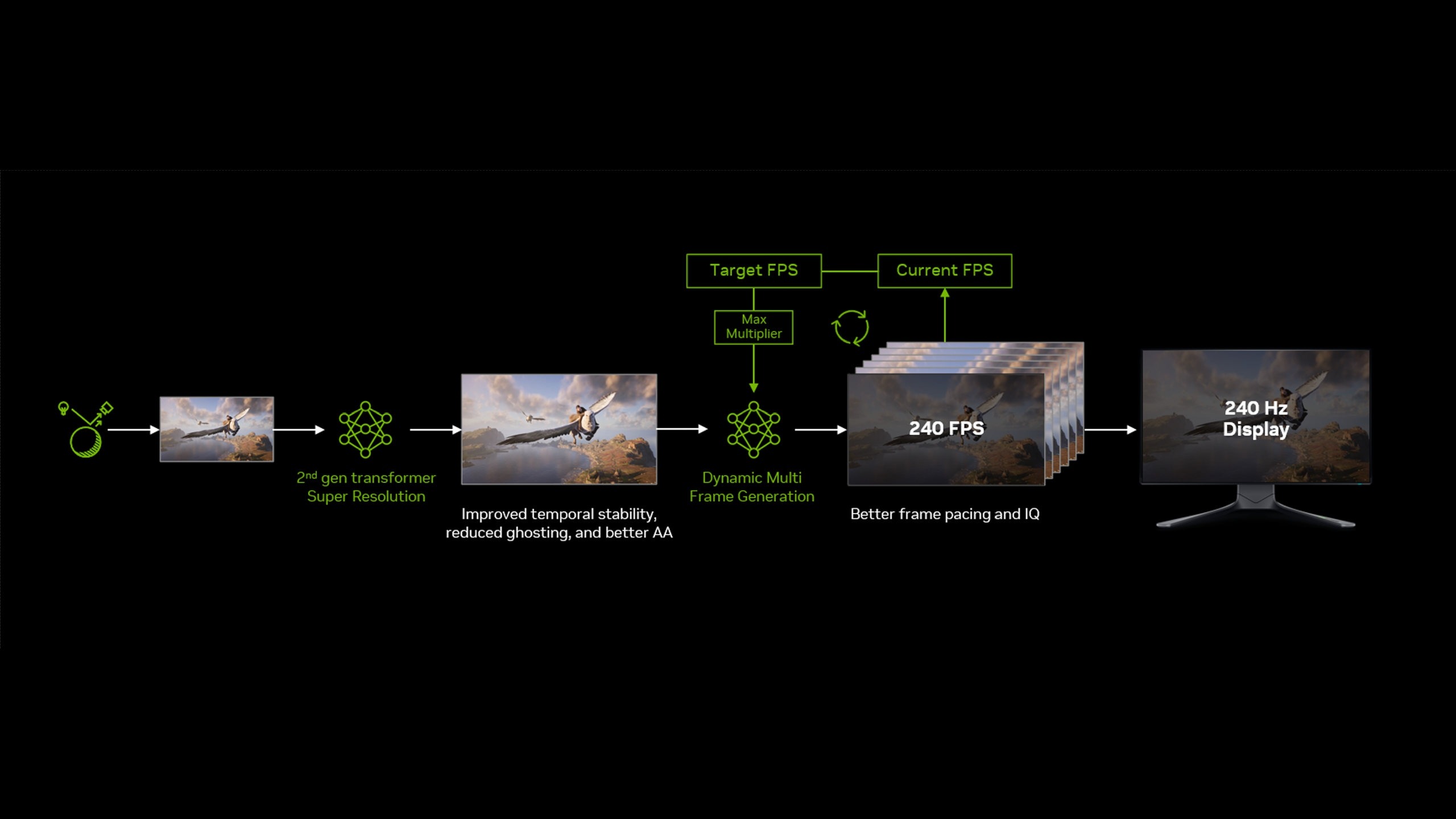
Evanson found that Dynamic MFG operated as intended, with practically instantaneous switches that did not themselves disrupt play. That does not make it a setting worth enabling in every game.
Beyond input latency, interpolation has computational and memory costs. Each generated frame requires calculations, while both the rendered frames and their AI-generated counterparts occupy additional VRAM.
An RTX 5060 cannot simply use Dynamic MFG to make 4K path tracing practical. Evanson also attempted to record Cyberpunk 2077 on a GeForce RTX 5070 using the RTX 5090's settings and Dynamic MFG; performance was so poor that the video stream failed within seconds.
RTX 5070 | RT Overdrive | 1080p DLSS Performance | Dynamic MFG override
Reducing resolution to 1080p while retaining RT Overdrive and DLSS Performance prevented the recording failure. Even so, the footage did not look particularly smooth despite generally acceptable frame rates and PCL, with latency still too high in places.
Frame generation cannot repair a PC's inherent performance limitations. Evanson's assessment is that it works better as an enhancement to already decent performance: a consistently smooth 60 fps can be a suitable foundation for interpolation to 120 fps or beyond.
He also questioned how widely Dynamic MFG is needed. G-Sync and FreeSync already address tearing without requiring output to match maximum refresh rate, and much of the pacing improvement comes from Reflex.
Competitive players are unlikely to accept extra input latency merely for higher displayed frame rates. Even a small increase on a high-end PC runs counter to esports players' efforts to minimise delay.
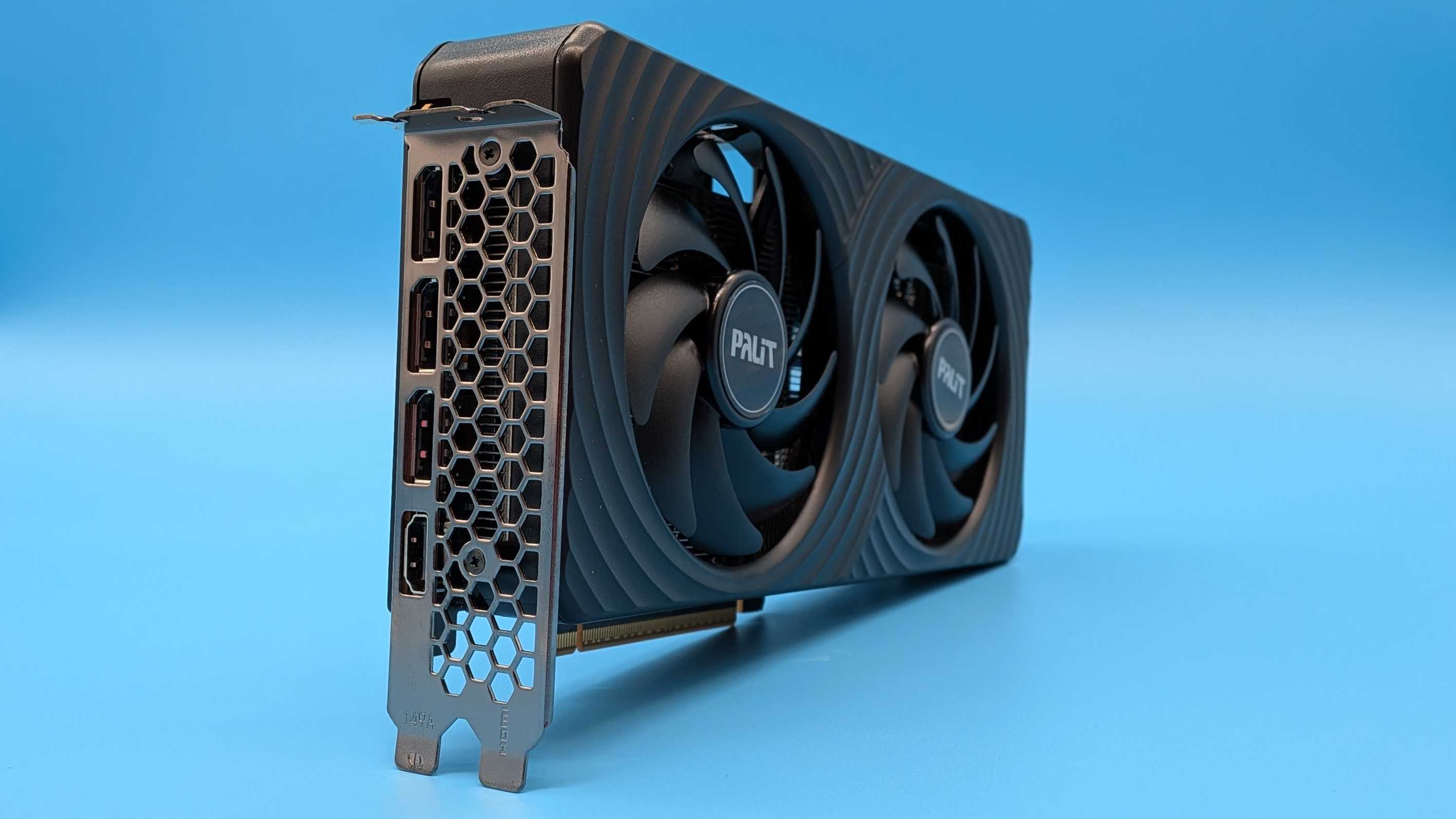
For budget or mainstream systems paired with a 144 Hz 1080p or 1440p monitor, a game already rendering at 60 fps will generally need only 2x, or occasionally 3x. Since Dynamic MFG requires in-game frame-generation support, simply using the game's existing option may be sufficient.
Nevertheless, the feature is optional and configured per game. Users can cap the multiplier below 6x and enable it only where it improves the experience. For GeForce RTX 50-series owners, it is another feature available at no additional cost, even if it is not useful in every title.